
Bestseller



Commercial
See the extension in action before you buy — the live storefront, the admin panel and the complete video walkthrough.
Browse a real OpenCart store running this extension.
Explore the extension settings from the admin panel.
View Profile: TMD OpenCart Extensions India
The module enhances pricing flexibility, allowing administrators to tailor product prices based on customer groups. This feature is handy in diversified market strategies where different customer segments might see varied pricing based on their group affiliation—like wholesalers, retailers, or VIP customers.
Implement tiered pricing within customer groups to encourage larger purchases, such as offering deeper discounts as order volume increases.
When a customer logs in, the extension recognizes their customer group and dynamically displays the product price of the product that the admin sets.
This module is tested with the OpenCart 1.5x version. and supports most OpenCart themes.
In the product edit page, the admin will all the customer groups and the price textbox below the default price section. This extension automatically detects and lists the customer group on the product edit page.
The admin can set the different prices for the various customer groups. For example, the admin can set prices for regular customers, discounted prices for wholesale customers, and other bulk buyers.
Using this module the OpenCart website owner can set prices for specific times or events, perfect for promotions or seasonal pricing adjustments.
Visitors who land on the product page will see the regular product price. When a customer logs in to their account and checks the product, the module first retrieves the customer group attached to the customer account and gets the product price of that customer group.
Thus ensure the customer always has the right product price.
This module utilizes the VQMOD technology. Thus, making it compatible with the OpenCart 1.5x version. It is easy to install and does not touch your website files.
It is well-tested with various unit tests to ensure the module should function as expected. A well online documentation is available for installation and extension settings.
We provide OpenCart customization, theme, and module development. If you are looking for services related to OpenCart create a ticket. One of our team members will connect with you.
Usage
1. Import SQL files in your database according to database prefix.
2. place all files as per root.
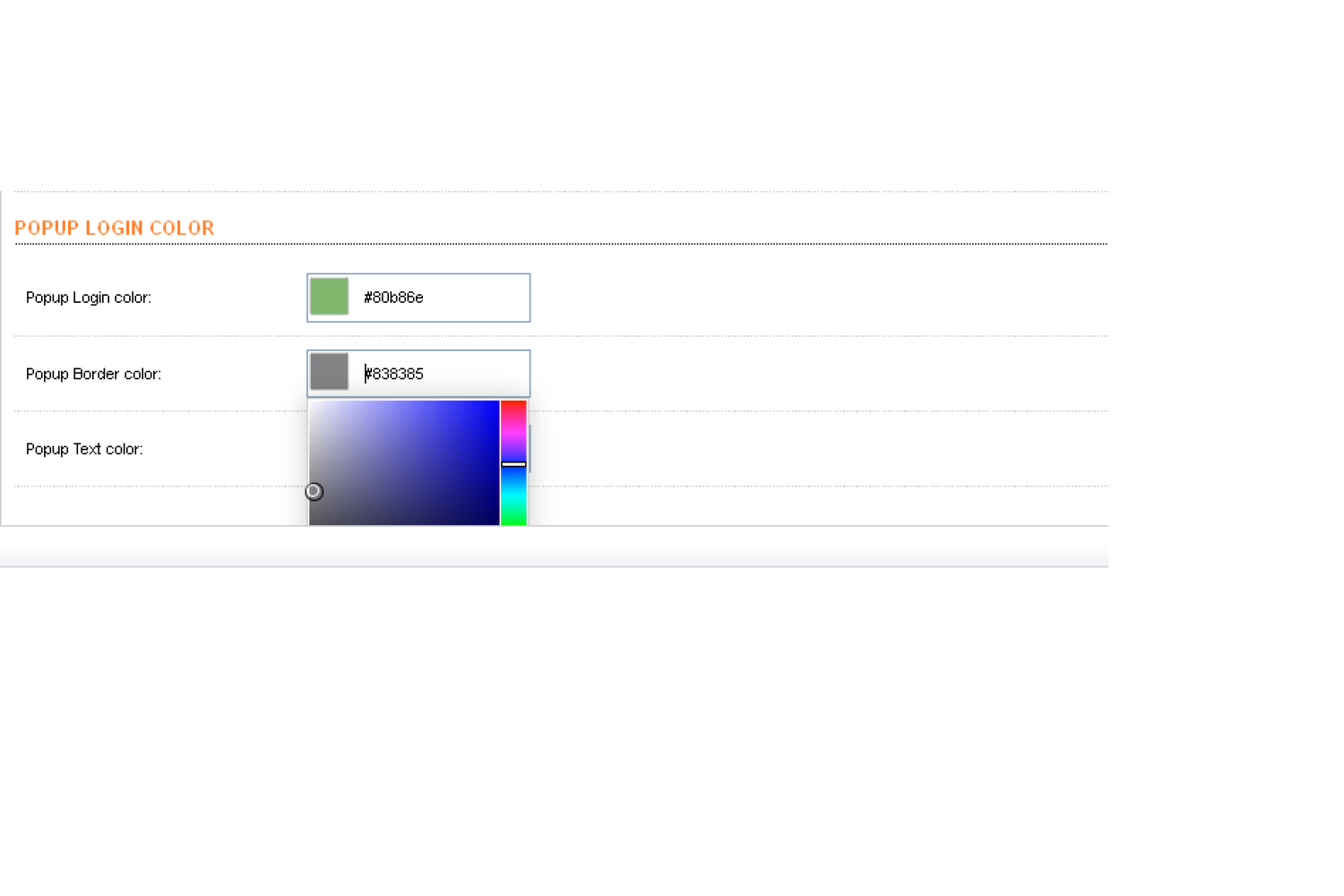
3. for Popup background color, font color, and border color Go to System
->Setting ->Edit ->Option tab in bottom show Pop Login Color option from here user can select a color from a color picker.
Now check output in front-end, you can see which product's customer group
price is set that product's price will be shown otherwise there will be a
"login to see price" button will show instead of price.
after login you can see the price of that product.
| Supported OC Versions | 1.5.5 , 1.5.5.1 , 1.5.6 , 1.5.6.1 , 1.5.6.2 , 1.5.6.3 , 1.5.6.4 |
| VQMOD Required | No |
| MultiStore Support | No |
| Support | Yes |
| Update | Yes |



Modules
.tab-description-new..
2.x


Modules
TMD is an Offical Pa..




Modules
.tab-description-new..
3.0.0.0, 3.0.1.1, 3.0.1.2, 3.0.2.0, 4.0.0.0_b, 3.0.3.0, 3.0.3.1, 3.0.3.2, 3.0.3.3, 3.0.3.5, 3.0.3.6, 2.3.0.0, 2.3.0.1, 2.3.0.2
Modules
TMD is an Offical Pa..
2.3.0.0, 2.3.0.1, 2.3.0.2, 3.0.0.0, 3.0.1.1, 3.0.1.2, 3.0.2.0, 4.0.0.0_b, 3.0.3.0, 3.0.3.1, 3.0.3.2, 3.0.3.3, 3.0.3.5, 3.0.3.6-106x50.jpg "Unlimited Shipping Method")