





License details
Commercial
2.x.x,3.x.x Compatiabilty
36018
Product Manager Quick Edit
(5 reviews)
- $29.99 $28.49
Sold by an Official OpenCart Gold Partner
Free updates for 6 months, valid for one license only
Secure checkout, instant delivery
Facing an issue?
Raise a ticket
Demo Videos
See the extension in action before you buy — the live storefront, the admin panel and the complete video walkthrough.
Live Storefront Demo
Browse a real OpenCart store running this extension.
Admin Panel Demo
Explore the extension settings from the admin panel.
TMD is an Official Partner of OpenCart
View Profile: TMD OpenCart Extensions India
What Is TMD OpenCart Product Quick Edit Module
TMD Product Manager Quick Edit Module enhances item editing for store admin and faster time to increase your productivity and efficiency. The product manager is an Extension that helps store owners edit their products very quickly and all changes made to a product are saved with AJAX, without refreshing the page.
This is very helpful for your store because It saves a lot of time as you do not need to open each product individually to edit the values and respective fields.
How Is It Beneficial For Bulk Product Editing
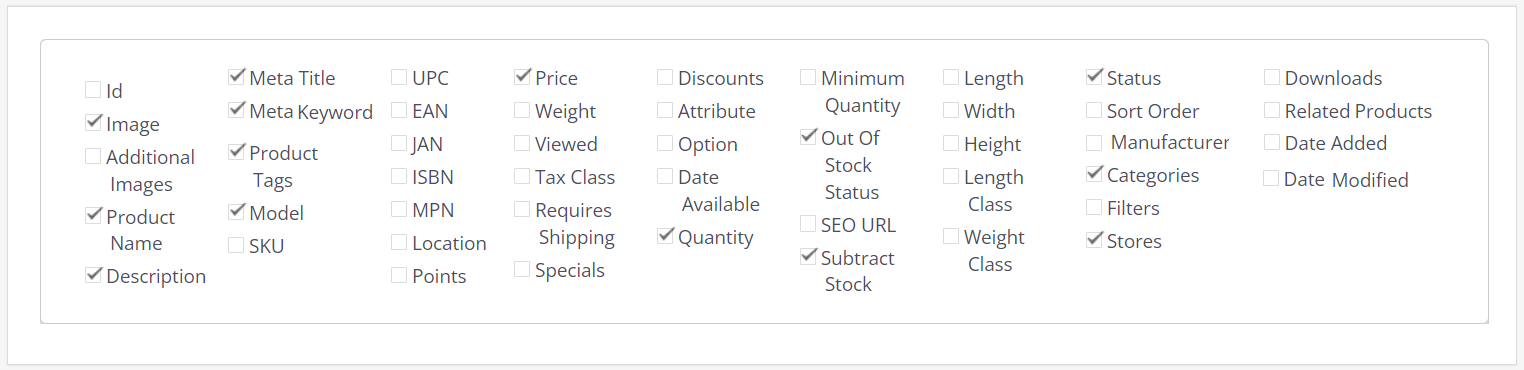
1. It Has Select Columns Options Available On The Product List Page
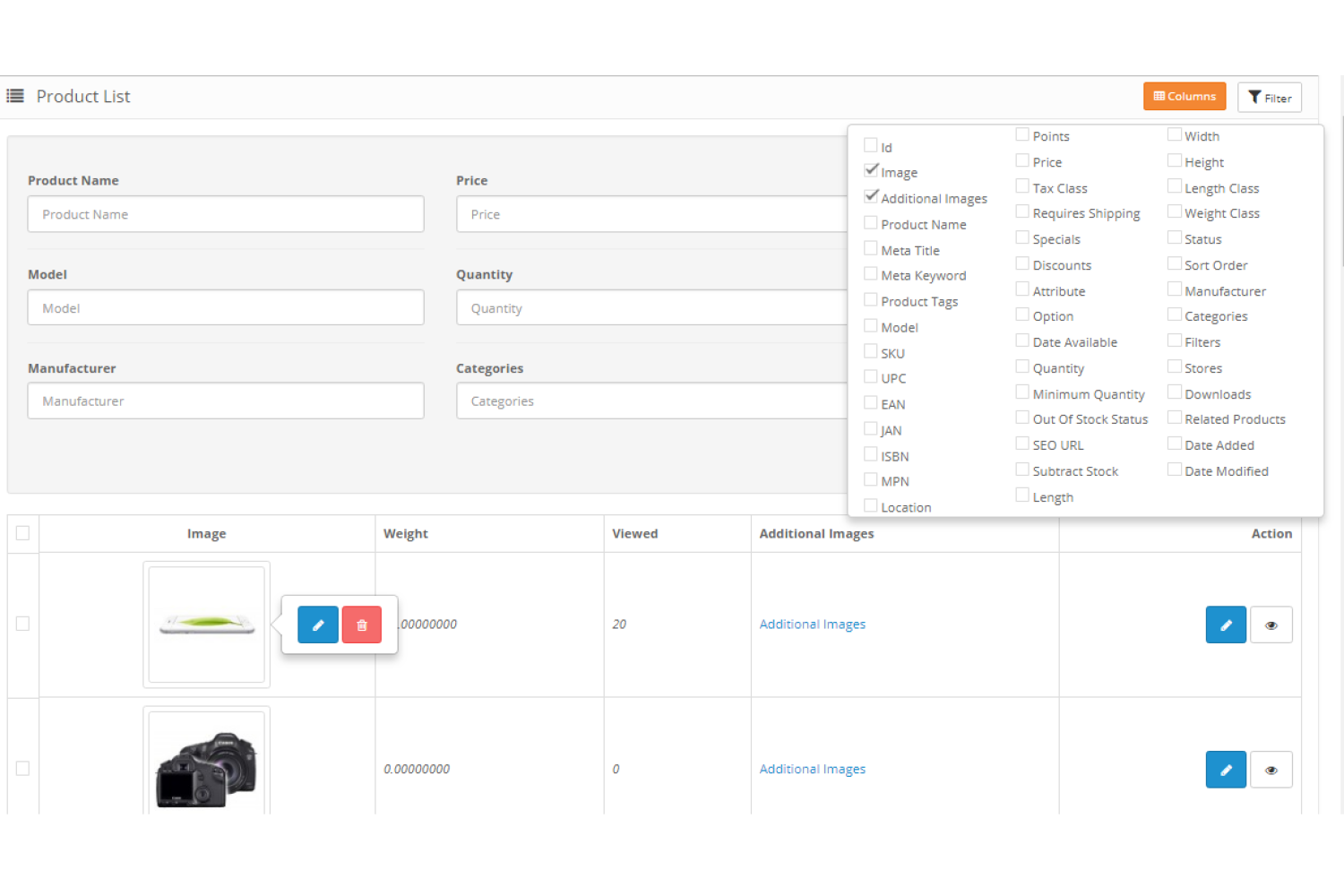
The product list page shows all the columns on the grid that you add. And this makes it easy for you to display what you want to see, rather than what you don’t want.
The idea is to keep your page product page simply clean for bulk edits on any items product manager quick edit
2. Hide The Rest Of The Columns That You Do Not Require
You can hide the columns that you don’t want to display. This is again a good option to hide all unnecessary items.
Simply click on the column list and hide/display any item. This OpenCart product edit list enables you to instantly hide all columns whichever is required.
3. Filter Options Are Handy In Searching For Products
The main function of the filter option is the search for a product. Whether you hide a column or display a new column.
You need to filter a specific product to edit its attributes.
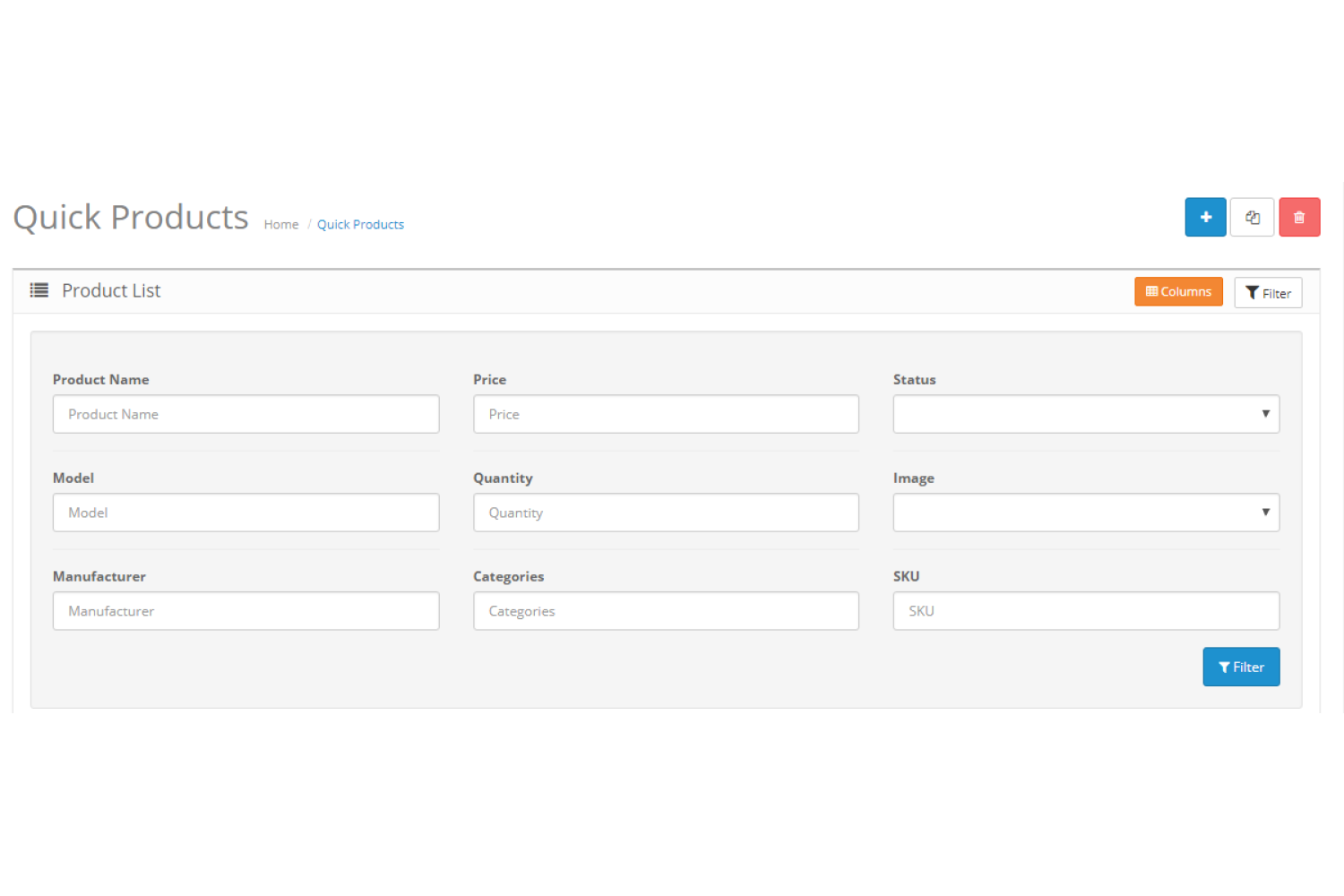
So, the filter option provides search criteria for a particular item on the basis of name, price, status, model, quantity, image, manufacturer, categories, and SKU.

4. OpenCart Product Quick Edit Enables And Disables Quick Editing For columns On The Grid Itself
You can filter your attributes on the product list from the columns link. Filtered products are displayed below the filter option.
So just edit them on the grid itself by clicking on the column. You don’t need to open the edit link here.
This is very helpful for the store owner to manage items in a very short time.
5. From The Columns Link, You Can Quickly Add Attributes That You Want To Show In The Product List
It is obvious that you don’t want to mess up with all the fields.
So hide and display columns as you like from the column link. The less you display the columns the less is the complexity.
6. You Can Filter Products By Special Columns Such As
- Product Name
- Price
- Status
- Model
- Quantity
- Image
- Manufacturer
- Categories
- SKU
- product manager special column edit
7. Direct Image Links To Store For Add Edit And Upload Images.
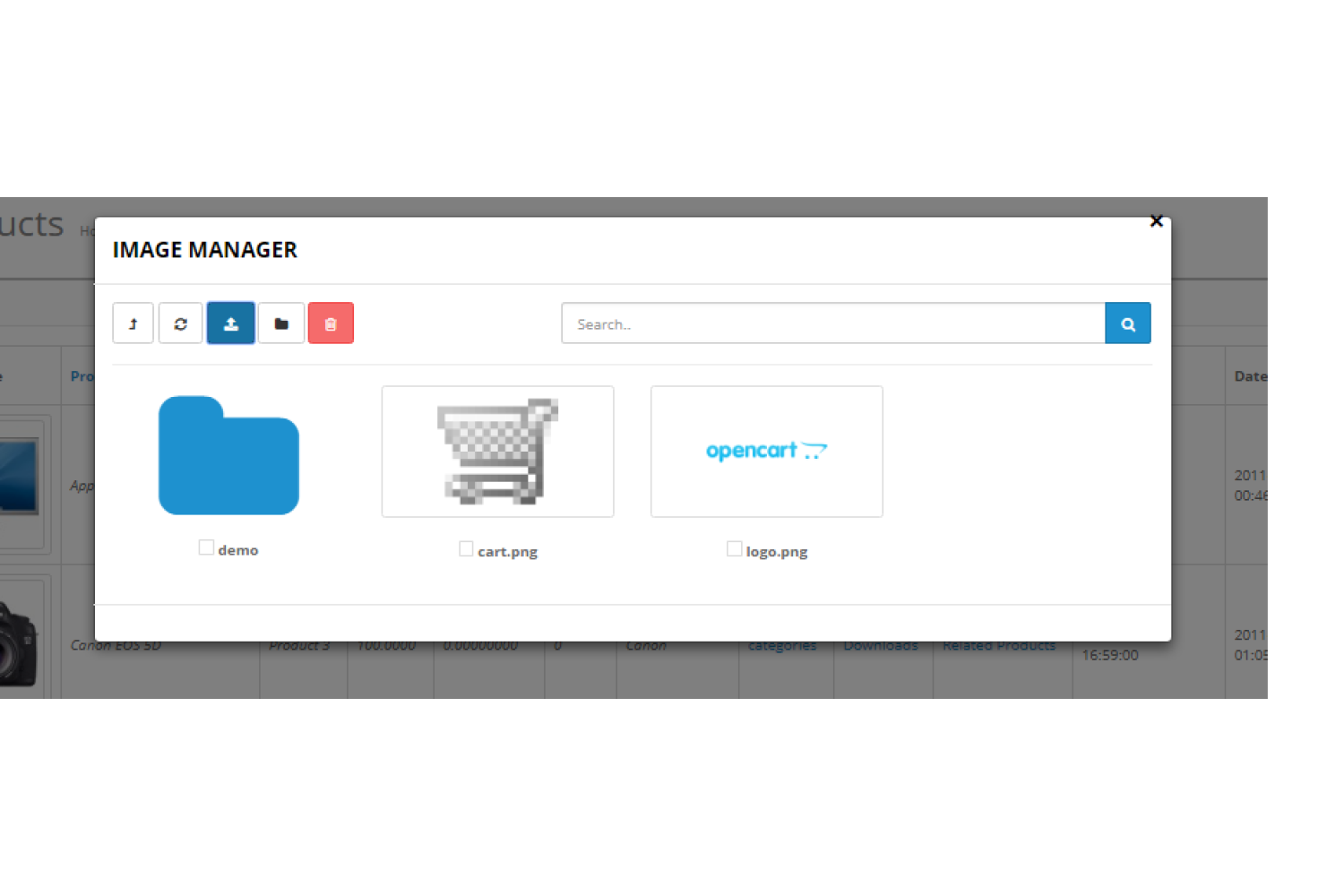
Image upload is easy and convenient for you after you add a Product Manager to your store. So TMD OpenCart Product Manager provides every possible option to edit add delete and upload images on the grid itself.
You can also create a new folder to keep and upload your image.
8. Quickly View Products In Front Of The Store
OpenCart Product Manager gives an option to view your product on the storefront. After you edit your product, it is available to view your product by clicking the view link.
And you can check your content directly if the content is a part of the front-end store. This makes the OpenCart product edit list a great tool and a value-driven editor.

9. OpenCart Bulk Product Editing Supports Multi-Language Option
This module supports a multi-language option for your store.
10. Support Multi-Store And Multi-Location
TMD OpenCart Product Manager enables multi-store feasibility. If you are running a multi-location OpenCart store. You do not need to worry about this module as it supports the multi-store facility.
11. OpenCart Product Editor Supports All versions of The OpenCart Store.
OpenCart brings updates and upgrades from time to time. So if you update your OpenCart store, there is nothing to worry about it.
TMD OpenCart Product Manager is feasible for all OpenCart Store Upgrades.
12. Fully AJAX-Based Loading Keeping All Internal Data Safe
Ajax-based loading helps your page from being refreshed from scratch. So whenever you edit a column only that column is refreshed keeping your other column data store safe.
The storing of data for all other columns is done internally without any hamper.
Support
Free installation is available after purchase. If you have any suggestions or pre-sale questions, looking for support. Please create a ticket. Our team will reach you as soon as possible.
Tags:
- product manager
- quick product edit
- quick product
- fast quick product
- quick product ean
- quick product name
- quick product category
- quick product options
- quick product attribute
- quick product option
- quick product category
- filter category
- filter manufacture
- filter quantity
- quick edit product
- bulk edit product
- bulk category
- product quick edit
- quick product insert
- quick edit popular
- product fast insert
- tmd quick product edit
- tmd quick product pro
- quick edit pro options
- bulk edit product
- quick edit product
- product
- quick
- edit
- tmd edit
- tmd product
- tmd quick
- tmd edit pro
- tmd quick product
- tmd products
- tmd options
- tmd option
- tmd category
- tmd manufacture
Full Documentation
Compatiabilty
| Supported OC Versions | 3.0.3.9 , 3.0.3.8 , 3.0.3.7 , 3.0.3.6 , 3.0.3.2 , 3.0.3.0 , 3.0.2.0 , 3.0.1.3 (Beta) , 3.0.1.2 , 3.0.1.1 , 3.0.0.0 , 3.0.4.0 , 3.0.4.1 2.3.0.2 , 2.3.0.1 , 2.3.0.0 2.0.3.1 , 2.0.2.0 , 2.0.1.1 4.0.2.3 , 4.0.2.2 , 4.0.2.1 , 4.0.2.0 , 4.0.1.1 , 3.0.3.8 , 3.0.3.7 , 3.0.3.6 , 3.0.3.2 , 3.0.3.0 , 3.0.2.0 4.1.0.3 , 4.1.0.2 , 4.1.0.1 |
| VQMOD Required | No |
| MultiStore Support | No |
| Support | yes |
| Update | yes |
Related Products

Bestseller

Modules
Bulk Product Import And Export Multilanguage (1.5.x , 2.x , 3.x & 4.x)
TMD is an Offical Pa..
(28)
2.x
$20.00
$19.00