
Bestseller




Commercial
See the extension in action before you buy — the live storefront, the admin panel and the complete video walkthrough.
Browse a real OpenCart store running this extension.
Explore the extension settings from the admin panel.
View Profile: TMD OpenCart Extensions India
TMD Mega Footer extension allows you to display a wide footer that you can customize as per requirement in your store.
With the help of this module, you can add a Twitter feed, social icon, Facebook-like box, YouTube video, and custom links related to extra information that you want to show in the footer.
This module provides full control of the module like colors changing the option of links, titles, and background of the footer, also has the option to show & hide any column in the footer. This fully customized module has multiple features that are useful for your store.
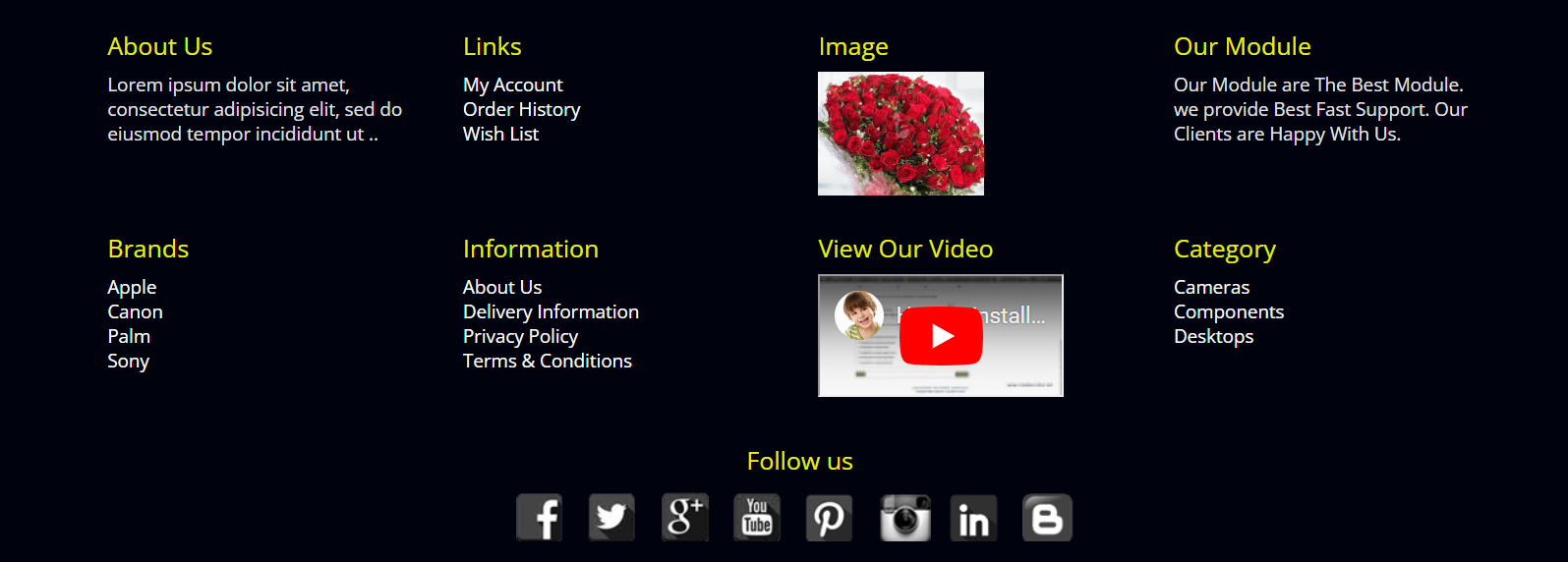
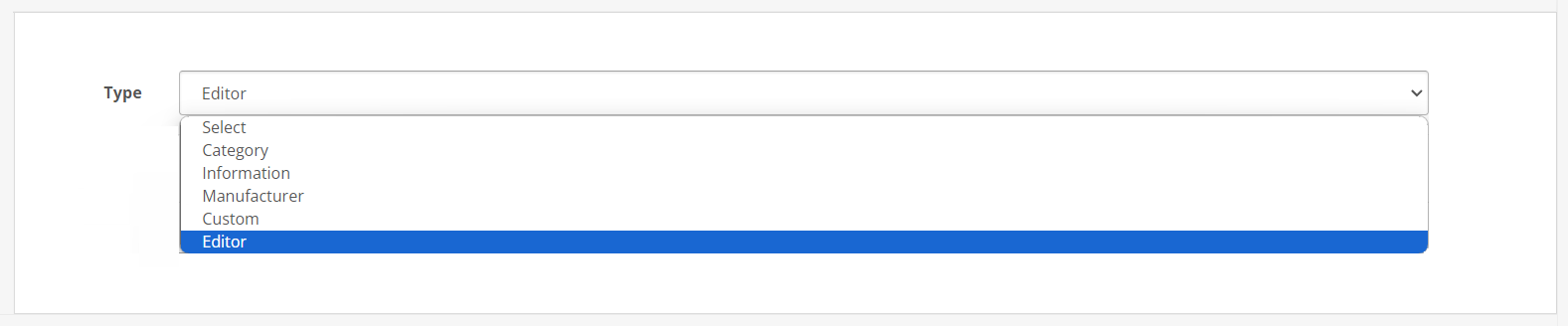
Choose from five distinct footer styles to match your website's design and user experience needs, ensuring your footer is not just informative but also visually appealing. Incorporate various content types into your footer, including:
Category List: The admin can display a list of product categories for easy navigation. You can select multiple categories and subcategories.
Manufacturer Details: Showcase brands or manufacturers to highlight the diversity of your offerings. When the user hits the manufacturer link, it will lead the user to a list of products that are linked with the manufacturer.
Information Page List: Include essential information pages like About Us, Contact, FAQ, etc., improving site navigation and SEO. It helps customers and search engines to navigate to important pages.
Custom Links: Add any custom links with names and sort orders for tailored navigation or to promote specific pages. The admin can use it to link the offer page, important announcements, blog links, add another website page link, etc.
Editor Functionality: Utilize the WYSIWYG editor to insert custom content, images, or promotions, enriching the footer's content. It can be particularly helpful when you want to display the information about company, website, etc.
Toggle Title Visibility: Flexibility to enable or disable titles above footer columns, allowing for a cleaner look or additional context as needed.
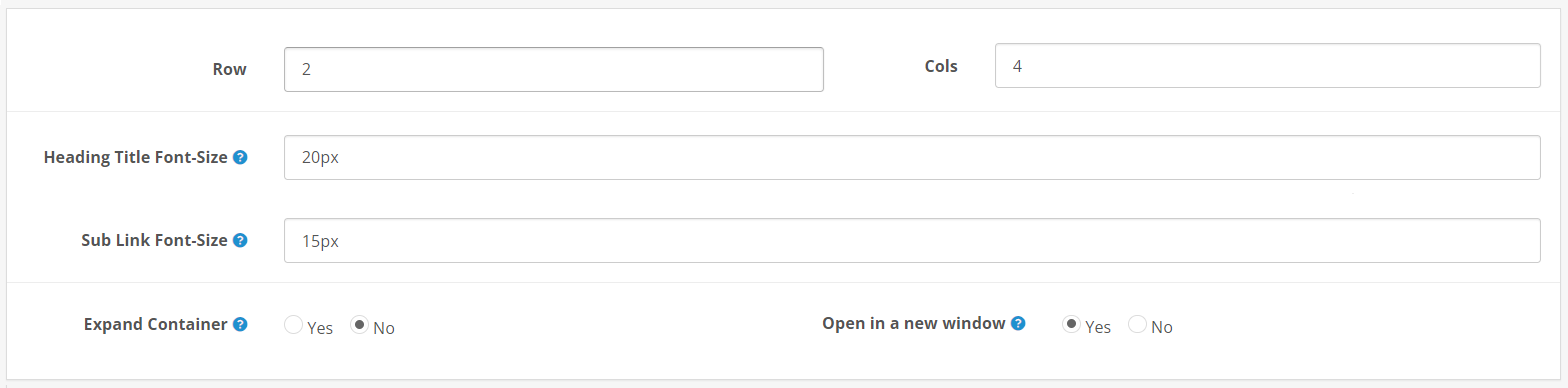
It lets the admin adjust the text size of menus to match the rest of the website aesthetics and branding. Set the text size of the heading and subheadings that display as content. However, the content that comes from the editor is excluded.
You can expand the width of the layout of the sub menu making a bold statement that captures attention. Plus, customize link behaviours to open in new windows, offering a seamless browsing experience that keeps users on your site while exploring external content.
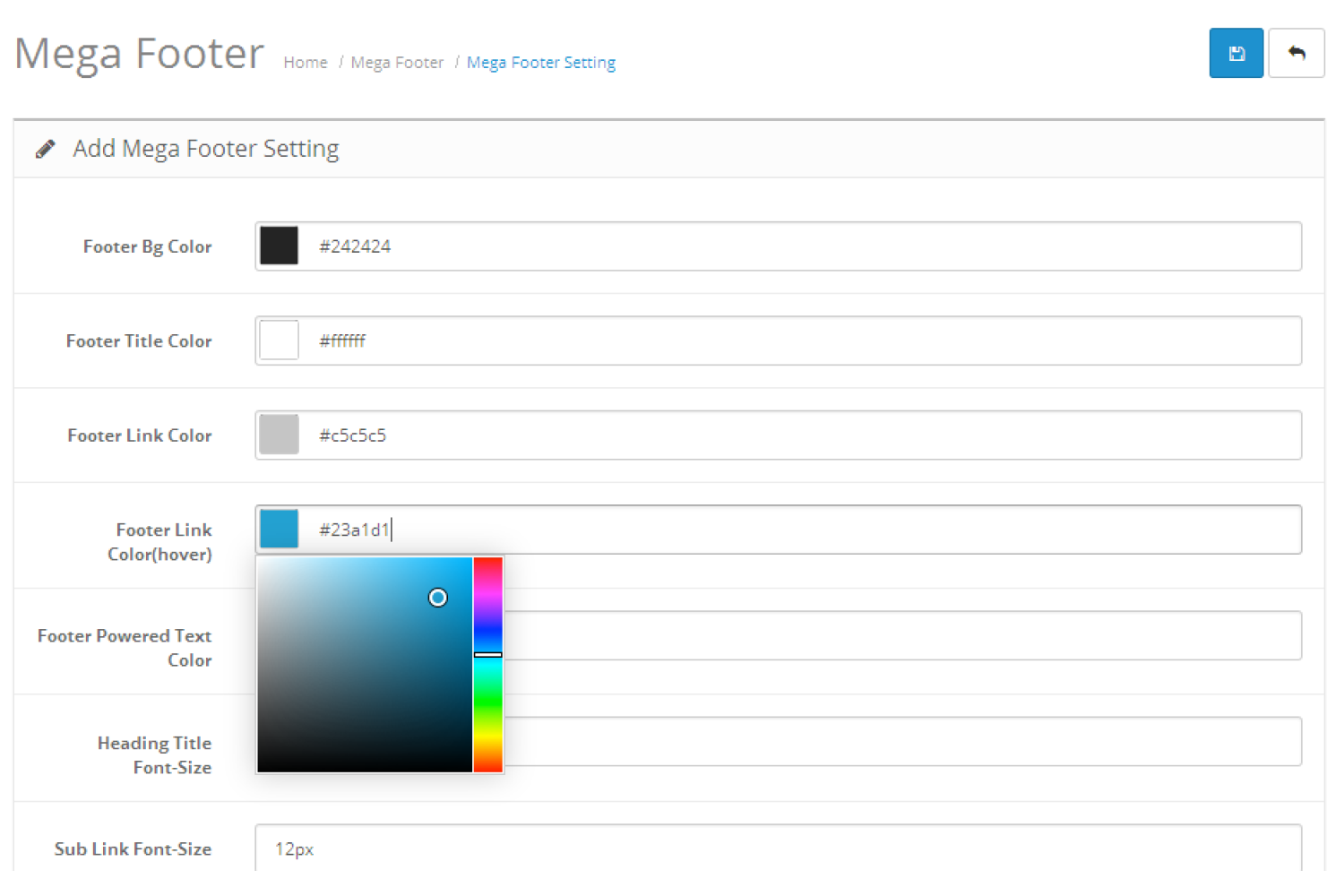
Tailor the footer's color scheme to align with your website's theme, enhancing visual harmony and brand consistency. The admin can apply the footer background, heading, subheading and other elements.
The footer will blend with the website's existing layout. It uses the JS color library that has all the web colors. You can set RGB, and ARGB color or use the hex color code to get the color. You can also select the color visually.
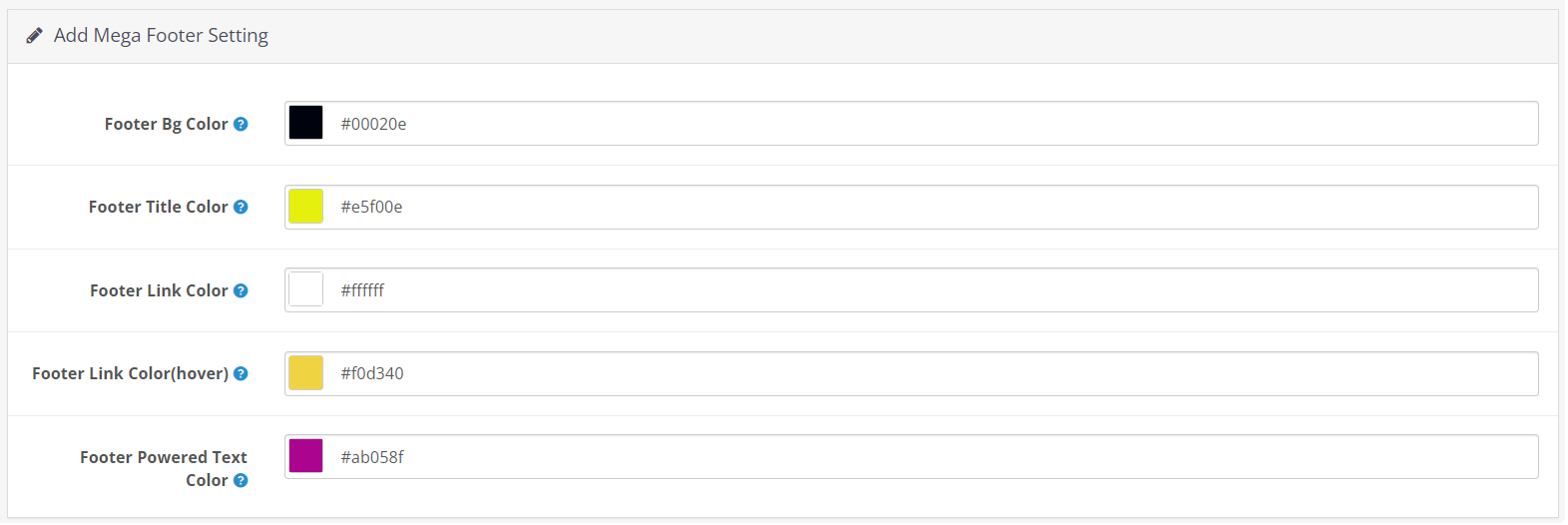
Ensure your website's footer looks great on screens of all sizes with our responsive layout feature. This adaptable design automatically adjusts to fit the display, offering a seamless and consistent user experience across desktops, tablets, and smartphones.
Enhance navigation and accessibility for your visitors, no matter how they access your site, with a footer that's always perfectly presented.
Being able to tailor the footer content for different languages and stores means you can maintain a cohesive brand identity across your global presence.
This extension will automatically detect all the active languages in your OpenCart website and display the country flag so the admin can write the content in that language. When a customer changes the language, then the content of the mega footer also changes to that selected language.
It detects all the multi-stores of your website. Display in the multi-store setting. The admin can select the store whose footer needs to be replaced with the mega footer.
This feature allows for distinct branding and navigation options, catering to the specific needs or preferences of different customer segments across your diverse online presence.
Tailor your website's footer with precision by customizing the number of rows and columns, enabling a meticulously organized and visually appealing footer design. The OpenCart Mega Footer Module empowers administrators to fine-tune layout configurations, ensuring every piece of content has its rightful place.
This smart extension dynamically adjusts to screen widths, intelligently distributing space across footer sections for optimal display and readability, enhancing user navigation and site aesthetics.
FULL DOCUMENT YOU CAN BE FOUND HERE
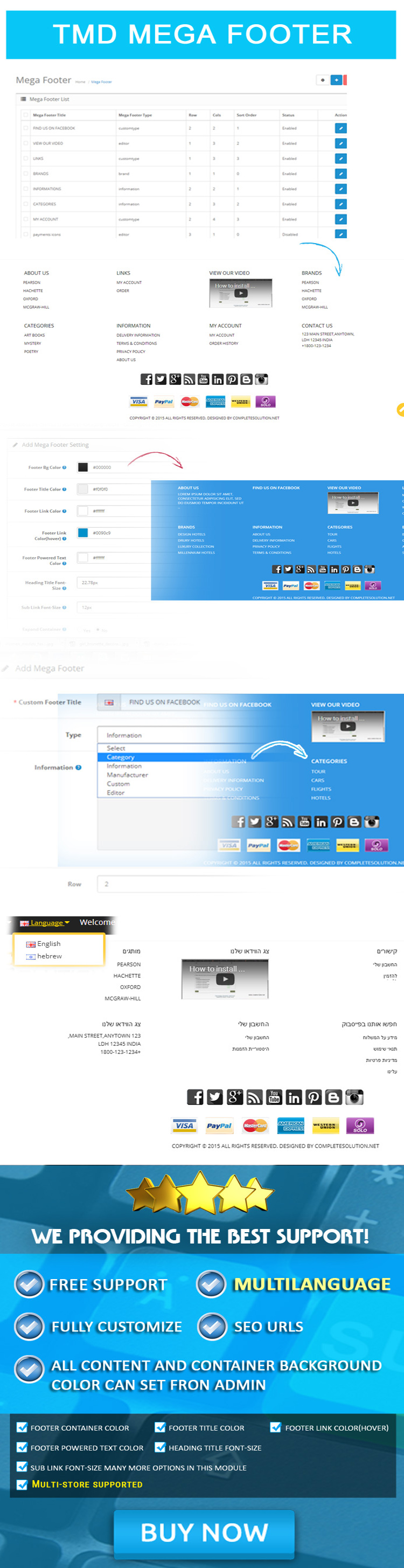
If you have a pre-sale question or looking for support. Please create a ticket, we will back to you as soon as possible.
| Supported OC Versions | 2.1.0.2 , 2.1.0.1 , 2.0.3.1 , 2.0.2.0 , 2.0.1.1 , 2.0.1.0 , 2.0.0.0 2.2.0.0 2.3.0.2 , 2.3.0.1 , 2.3.0.0 3.0.3.8 , 3.0.3.7 , 3.0.3.6 , 3.0.3.2 , 3.0.2.1 (Beta) , 3.0.2.0 , 3.0.3.9 4.1.0.3 , 4.1.0.2 , 4.1.0.1 , 4.1.0.0 , 4.0.2.3 , 4.0.2.2 , 4.0.2.1 , 4.0.2.0 , 4.0.1.1 , 4.0.1.0 , 4.0.0.0 |
| VQMOD Required | No |
| MultiStore Support | No |
| Support | yes |
| Update | yes |


Modules
.tab-description-new..





OpenCart Themes 2.x
.tab-description-new..

OpenCart Themes
.tab-description-n..
2.x.x,3.x.x

Modules
.tab-description-new..