

License details
Yes
NO -DATA Compatiabilty
13222
Order With Prescription or Attachment
- $39.00 $37.05
Sold by an Official OpenCart Gold Partner
Free updates for 6 months, valid for one license only
Secure checkout, instant delivery
Facing an issue?
Raise a ticket
Demo Videos
See the extension in action before you buy — the live storefront, the admin panel and the complete video walkthrough.
Live Storefront Demo
Browse a real OpenCart store running this extension.
Admin Panel Demo
Explore the extension settings from the admin panel.
TMD is an Offical Partner of OpenCart
View Profile: TMD OpenCart India
Overview Of TMD OpenCart Order With Prescription Or Attachment
The order attachment is an essential module for businesses that sell items related to the pharmaceutical industry, designer suites, items that require measurement, etc., where it is hard to distribute any product without a prescription or knowing exact measurement.
This module ensures that a user uploads the prescription or file, which will be reflected on the admin order detail and customer order list pages.
You can restrict a particular product or a category from being processed without a prescription or attachment file when a customer places an order. So if you are a store owner who sells healthcare products, this module will probably play a huge role in increasing your sales to customers online.
Customers Can Upload Prescription/File For Order
This module lets your customer upload a prescription or file while placing the order. It is useful when a website sells medicine or products that require permission before purchase, or measurement information about the product.
The OpenCart attachment with order extension only asks the customer to upload the prescription or file when they try to purchase the product. The admin marked this as a must-have attachment. So customers won't be able to proceed to checkout without uploading the attachment.
After placing the order, the customer can find the uploaded file in the account section. The admin will have the file attached to the order. From there, the admin can download and send the accurate product to the customer.
- The customer can upload an attachment for those products that the admin has marked as must have attachments.
- The customer won't complete the order without it.
- This module will save the attached file for admin and customer in the order details.
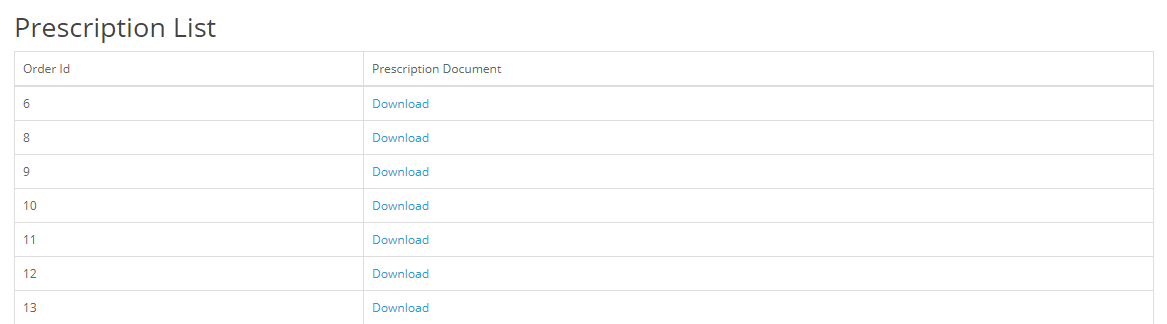
- On the prescription page, customers can find and download all the attachments.
Mark The Products Must have Prescriptions or Attachment And Accepted File Format
The admin can add products by searching for their names and selecting them from a drop-down list. Likewise, the admin can add categories. Selecting a category automatically enables an attachment setting for its products. All products within these categories will require a valid prescription or attachment file during checkout.
If the customer adds the product to the cart and tries to go to checkout. They will get an error message stating that the attachment file is mandatory to proceed. Thus, to complete the order, the customer must upload the file.
The admin can specify accepted file format extensions to ensure customers upload only matching files during checkout. Incompatible files trigger an error, enhancing security and compliance.
- Add products.
- Add categories.
- Write (multiple) the valid file format extension name that the customer can upload.

Find The Prescription or Attachment In Admin Customer Order Detail
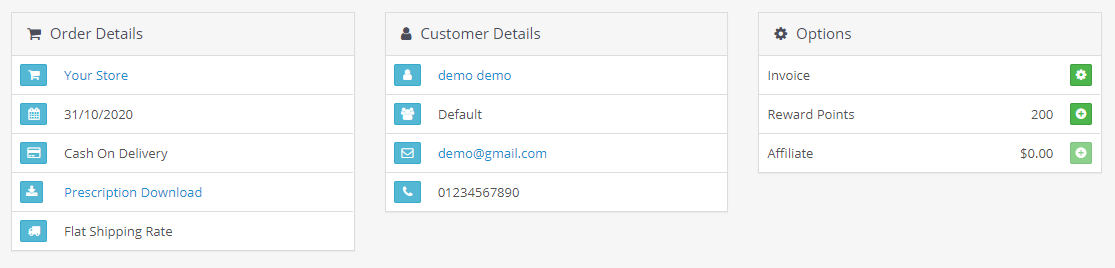
This module takes care of order management efficiently for the admin. That's why modules show the uploaded attachment on two pages. First, on the order detail page. Second, order the edit section.
The admin can download the attachment from there and prepare the order accordingly. This OpenCart extension also records orders with the attached file for future reference.
This module generates a new page called Attachment in the customer section. It holds all the attachment files with the order ID and has a download button
In case the government, or customer demand the prescription history, the store owner can give them. This extension is a great time saver for both customers and admin.
Supports OpenCart 2.x and 3.x versions
TMD made this module work on Opencart versions 2x and 3x. It works great with the latest and older OpenCart versions. It can be easily installed on your website via the upload module section in the admin. Because it uses OCMOD, it does not overwrite core files. It also works with cloud-based online websites.
Our modules, extensions, and themes are plug-and-play. Just install them, and you will be ready to use them immediately
Support
Check out our demo or write to us with questions. Do you have pre-sale or support questions? Please create a ticket. We will help you to get it working.
Tags:
Full Documentation
Compatiabilty
| Supported OC Versions | 2.3.0.2 , 2.3.0.1 , 2.3.0.0 3.0.3.8 , 3.0.3.7 , 3.0.3.6 , 3.0.3.2 , 3.0.3.1 , 3.0.3.0 , 3.0.2.0 , 3.0.1.2 , 3.0.1.1 , 3.0.3.9 , 3.0.4.0 4.0.2.3 , 4.0.2.2 , 4.0.2.1 , 4.0.2.0 , 4.0.1.1 , 4.0.1.0 , 4.1.0.0 , 4.1.0.1 , 4.1.0.2 , 4.1.0.3 |
| VQMOD Required | No |
| MultiStore Support | No |
| Support | yes |
| Update | yes |
Related Products
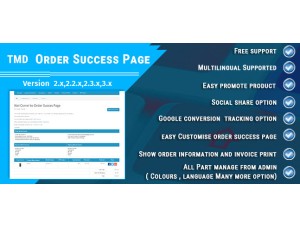
Cart, Checkout & Order Management
OpenCart Order Success Page Module
TMD is an Offical Pa..
2.x
$29.99
$28.49
Product Page & Merchandising
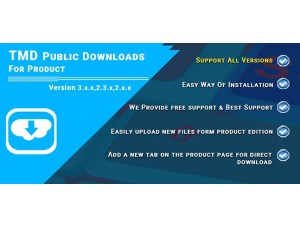
Public Download For Product
.tab-description-new..
2.3.x ,3.x.x.
$29.00
$27.55
Product Page & Merchandising
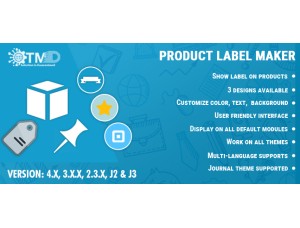
Product Label Maker
TMD is an Offical Pa..
(2)
2.x.x,3.x.x
$29.99
$28.49
Bestseller
Cart, Checkout & Order Management
OpenCart Order Tracking Module
.tab-description-new..
(1)
2.3.x,3.x.x
$29.99
$28.49
Specialised Selling Models
Prescription Of Eyeglass and Contact Lens
.tab-description-new..
2.3.x, 3.x.x
$99.99
$94.99