

License details
Commercial
2.x Compatiabilty
29994
OpenCart PayVision Payment Integration (2.x.x & 3.x.x)
- $29.99 $28.49
Sold by an Official OpenCart Gold Partner
Free updates for 6 months, valid for one license only
Secure checkout, instant delivery
Facing an issue?
Raise a ticket
Demo Videos
See the extension in action before you buy — the live storefront, the admin panel and the complete video walkthrough.
Live Storefront Demo
Browse a real OpenCart store running this extension.
Admin Panel Demo
Explore the extension settings from the admin panel.
OpenCart PayVision Payment Integration
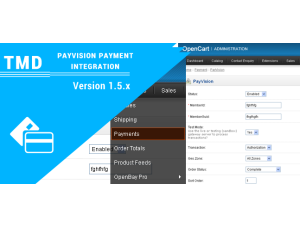
This module adds support for "PAYVISION" payment integration into your website. The cart confirmation page will have the CC fields directly on the page. All processing is done on your domain.
Features
- * Easy Installation
- * Free Support
- * All customer data collected directly on your site
- * Processing is done with ajax instantly on your store
- * Debug Mode (logs debug info to your system error log for troubleshooting)
- * Full support of error handling and logging.
* Navigation on/off (admin setting).
Support
Any support, suggestion, or pre-sale question are most welcome. We provide the best and priority support so that you can enjoy our dedicated support. Please create a ticket, our team will help you.
Usage
1. Copy all files as root.
2. Go to System->User->UseGroup-> Edit Top Administrator-> Select your files.
Another provide in documentation folder in which have all Steps how to Apply Slider In opencart.
3. Find and check the entries for any unchecked files in both modify and access. save.
4. From the admin menu, go to 'Extensions->Payment'.
5. Install the new module, and click edit to configure.
Compatiabilty
| Supported OC Versions | 2.1.0.2 , 2.1.0.1 , 2.0.3.1 , 2.0.2.0 , 2.0.1.1 , 2.0.1.0 , 2.0.0.0 2.2.0.0 2.3.0.2 , 2.3.0.1 , 2.3.0.0 3.0.3.8 , 3.0.3.7 , 3.0.3.6 , 3.0.3.2 , 3.0.2.0 , 3.0.1.3 (Beta) , 3.0.1.2 , 3.0.1.1 , 3.0.0.0 |
| VQMOD Required | No |
| MultiStore Support | No |
| Support | Yes |
| Update | Yes |
Related Products
Payment Gateways
CCAvenue Payment Module ( Latest version supported) 1.5.x
TMD is an Offical Pa..
(5)
1.5.x
$29.99
$28.49
Import, Export & Migration
OpenCart XLS Import (Product Import ) 1.5.x
.tab-description-new..
(10)
1.5.x
$20.00
$19.00
Pricing, Discounts & Currency
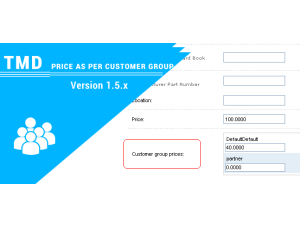
Price As Per Customer Group Module 1.5.x
TMD is an Offical Pa..
1.5.x
$35.00
$33.25

Bestseller
Import, Export & Migration
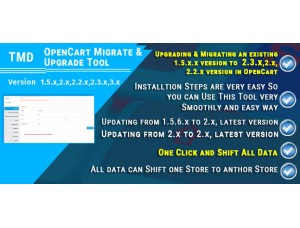
Opencart Migrate & Upgrade Tool
.tab-description-new..
(16)
2.x
$49.99
$47.49