Overview Of TMD OpenCart Category, Manufacturer, Attributes Filter Extension
It gives your website a new way to filter out the products. Using this module, customers can easily find the products.
This module allows customers to find the products that match their search criteria with selected filter options such as category/subcategories, manufacturer and attributes, and others. The setting has been given to show and hide the filter option on the front.
This extension supports multi-store and multi-language and is given to edit the text in the setting. It works great with all the OpenCart themes available in the market.
Configure OpenCart Filter Options
Within seconds, this extension can get the result out of a hundred thousand products. The filter algorithm is written very efficiently to take less amount of time and database memory.
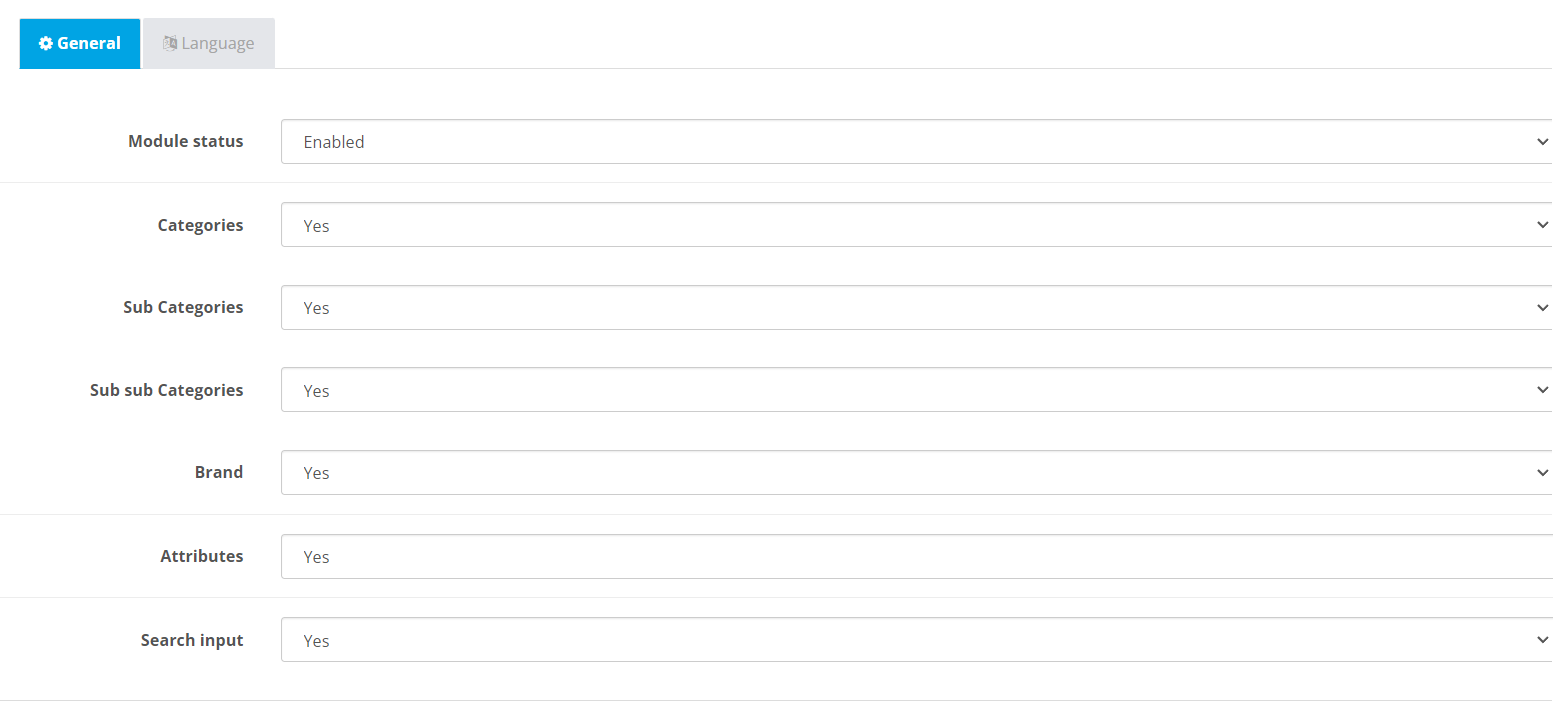
It comes with the setting, the admin can show and hide the filter just by selecting yes/no in the setting. The setting applies instantly to the search filter.
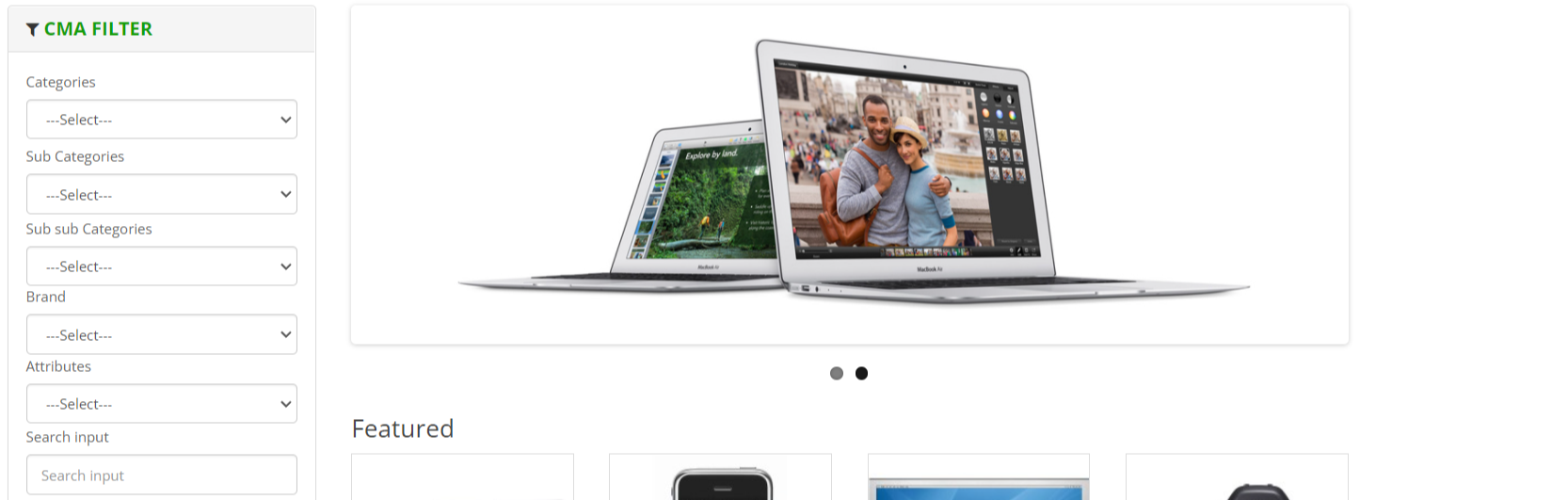
It will match the search term with selected filters and get the best result. This filter will show all the enabled attributes, manufacturer, brand and categories, sub-categories.
- 1. Categories Heading
- 2. Sub Categories and their sub categories
- 3. Brand
- 4. Attributes
- 5. Search input
- 6. Status
Color Setting To Match With Website
OpenCart Mega Filter Pack extension has a color setting for the appearance of the search filter. Admin can set new colors to the Title, Text, and background of the filter. There is a js color picker is given to select the color that supports all the modern browsers. It allows the admin to select the color from it.
- 1. Title
- 2. Text
- 3. Background
-

Decide The Placement Of Search Filter
This extension creates a module section like the default module of OpenCart does. The filter can a present on more than one page or according to requirement.
In the layout section, select the page where you want to display the filter. After that, Admin can select the Mega Filter Pack search from the module list to display on the specific position of the page. It will appear on the selected page layout position.
For example, Admin can select the top, left, right, the bottom of the content to show a search filter.
Compatible With Multi-languages
OpenCart category, subcategories, manufacturer, attribute filter extension supports multi-language. The tabs for the active language input box will be shown for text editing. Admin should write the text according to the language icon in the input box
When a customer/user changes the language on the website. Text present on search filter change according to the selected language. Thus, It helps websites to international SEO and targets international customers.

Supports OpenCart 2.3.x and 3.x Versions
TMD used OCMOD and VQMOD to create OpenCart categories, sub-categories, manufacturer, attributes filter module. It works perfectly on 2.3.x and 3.0.x versions of OpenCart.It is also tested up to the latest stable version.
It is used on the cloud version to give the best performance. Testing has been done using the unit test to give quality of work.
Your website files will remain the same and untouched after the installation of TMD OpenCart modules. The website will remain to function as before it does. It is easy to use right? Yeah!
Support
If you have any kind of question or looking for support. Please create a ticket.