What is an OpenCart Order Export Module?
The export order module as the name suggests is a micro and unique module for OpenCart store owners.
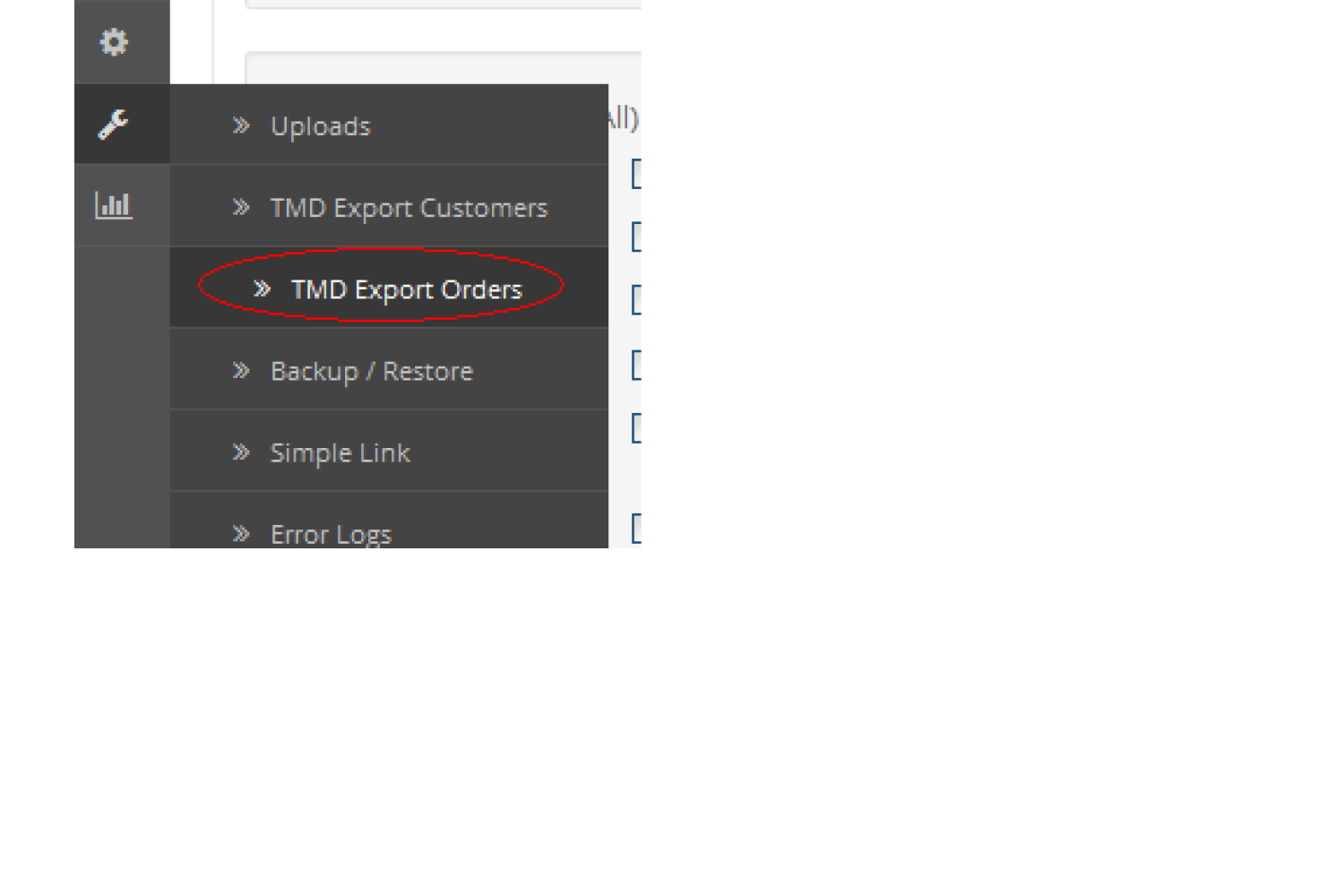
This module enables the admin to export sales orders from his/their online store and save them offline to their desktop in the form of xls files. TMD has been in the field of module development for OpenCart for the last 10 years, so it has witnessed a strong requirement for this module in the marketplace and also among store owners.
So this export order extension is developed specially by TMD for meeting the requirement of sales order data exports.
OpenCart Export Order 2.x, 3.x & 4.x
This is a flexible module for all standard OpenCart versions such as 2.x and its corresponding upper versions such as 3.x & 4.x.
This tool allows you to easily export your customer & order information to an Excel (.XLS, XLSX, CSV) file. Irrespective of which OpenCart version you are currently using you can also select which filed to export and which not.
Export Fields In OpenCart Export Order Extension
There are a number of files in the export order module, so you can export only those columns which are required by you for analysis. The columns available in export order modules are listed below.
- Order Id
- Customer Name
- Invoice no
- Invoice Prefix
- Telephone
- Fax
- Payment Firstname
- Payment lastname
- payment Company
- Payment address 1
- Payment address 2
- Payment Postcode
- payment city
- Payment zone
- Status
- Shipping City
- Shipping zone
- Shipping zone code
- Reward
- Comment
- Shipping country
- Shipping iso code 2
- Shipping iso code 3
- Shipping address format
- Shipping method
- Shipping code
- Weight.
- Total.
- Affiliate first name.
- Affiliate last name.
- Date added.
- Payment zone code
- payment country
- payment iso code2
- Payment iso code3
- Commission
- Payment address format
- Payment custom_field
- Payment method
- Payment code
- Shipping firstname
- shipping lastname
- Shipping_company
- Shipping Address 1
- Shipping Address 2
- Shipping Postcode
Powerful Filter The Required Order Data For Analysis
Admin can get the only important sale data out of large sale records. This is possible with the filter given in the OpenCart export order module. There are many 12 field parameters available.
After Filters are selected or values are given then, it will give you the exact result that you want for download. Admin can filter out the data within stores, order status, customer name, customer group, product category, and other fields.
Most of the filter fields are selector likewise OpenCart existing filter works. Admin just needs to enter the initial values and it shows a dropdown with values taken from a database. It is easy to use and only filtered data will be exported. Here are the complete fields present in the filter.
- ✔ Order ID
- ✔ Order Status
- ✔ Store
- ✔ Customer
- ✔ Start Date
- ✔ End Date
- ✔ Date Added
- ✔ Date Modified
- ✔ Customer Group
- ✔ Choose Category
- ✔ Choose Product
- ✔ Total
-

Select Which Fields To Should Present Into Order Export File Using OpenCart Order Export Extension
This module provides a complete fields list in the order information that is present in the OpenCart admin. All the fields are divided into Order, Customer, Payment, Shipping, and Product 5 respective sections. Admin can have all lists of fields when selecting individual sections.
Like setting order, this will show order-related data fields like Invoice no, Coupon Code, Status, Total, SubTotal, etc. Same with other sections of the order, selecting themes gives their respective fields.
These fields are selectable and selected fields will be sent to another box that contains all the selected fields by admin. These selected fields will be present in the exported file.
These selected fields are easy to remove and add as well. Export order OpenCart module works great as selected fields are removed from the list of fields so the admin won't add the same field twice as it makes the exported file useless.
This makes admin work easy by selecting only particular data instead of looking at a bunch of fields and wasting time to get the information out.
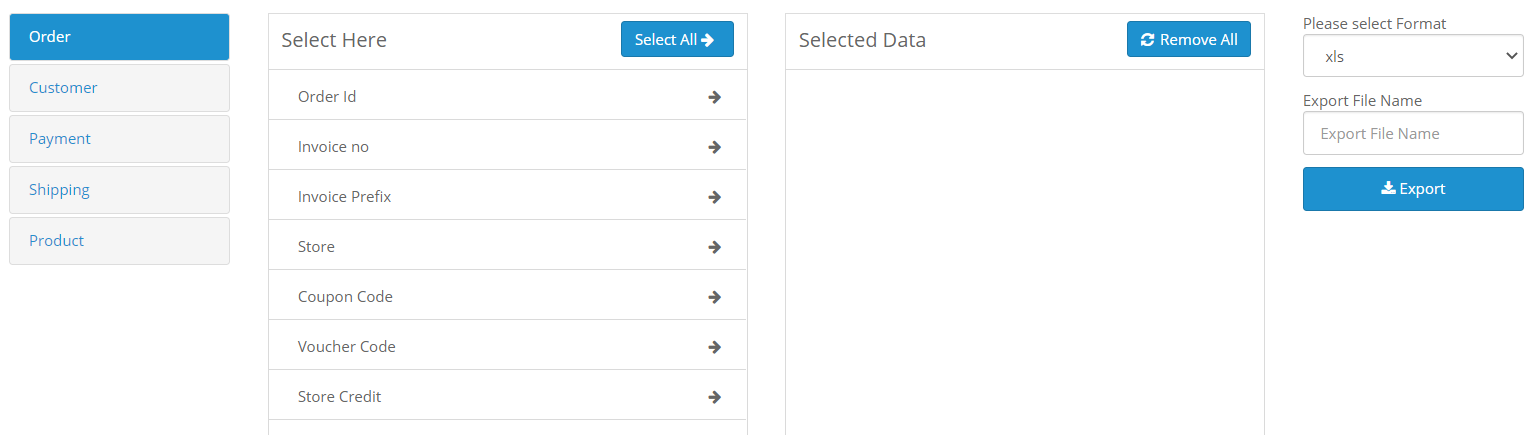
Select OpenCart Order Export File Format, Write File Name
It is packed with three file formats to export the data. This module gives .xls, .xlsx and .csv file formats to download the order export data. Admin can delete only one file format from the drop-down.
Admin can write the exported file name. The downloaded file will have the same name written by the admin before hitting the export order button. The final exported file will have only data present that is selected in filter and fields by the admin.
There is a limit to downloading the order export file. It depends on the website server how much data processing can handle that.
Support
For any questions & suggestions, you are most welcome to submit your queries with us. Also If you are looking for support, just create a ticket for prompt support and guidance.