Overview of TMD OpenCart Customer Export
This module helps the store owner to manage the customer data effectively. Our module is designed to streamline your OpenCart website customer data management process. With the easy-to-use interface, you can export comprehensive customer data with a few clicks including name, last name, email, address, phone number, etc.
Exporting customer data manually is time-consuming and sometimes it is error-prone. This module automates the process, freeing you to focus on your business. You can make the backup or use it for Google, and Facebook retargeting marketing campaigns or reach a new customer base.
This extension is compatible with OpenCart version 3x and 4x versions.

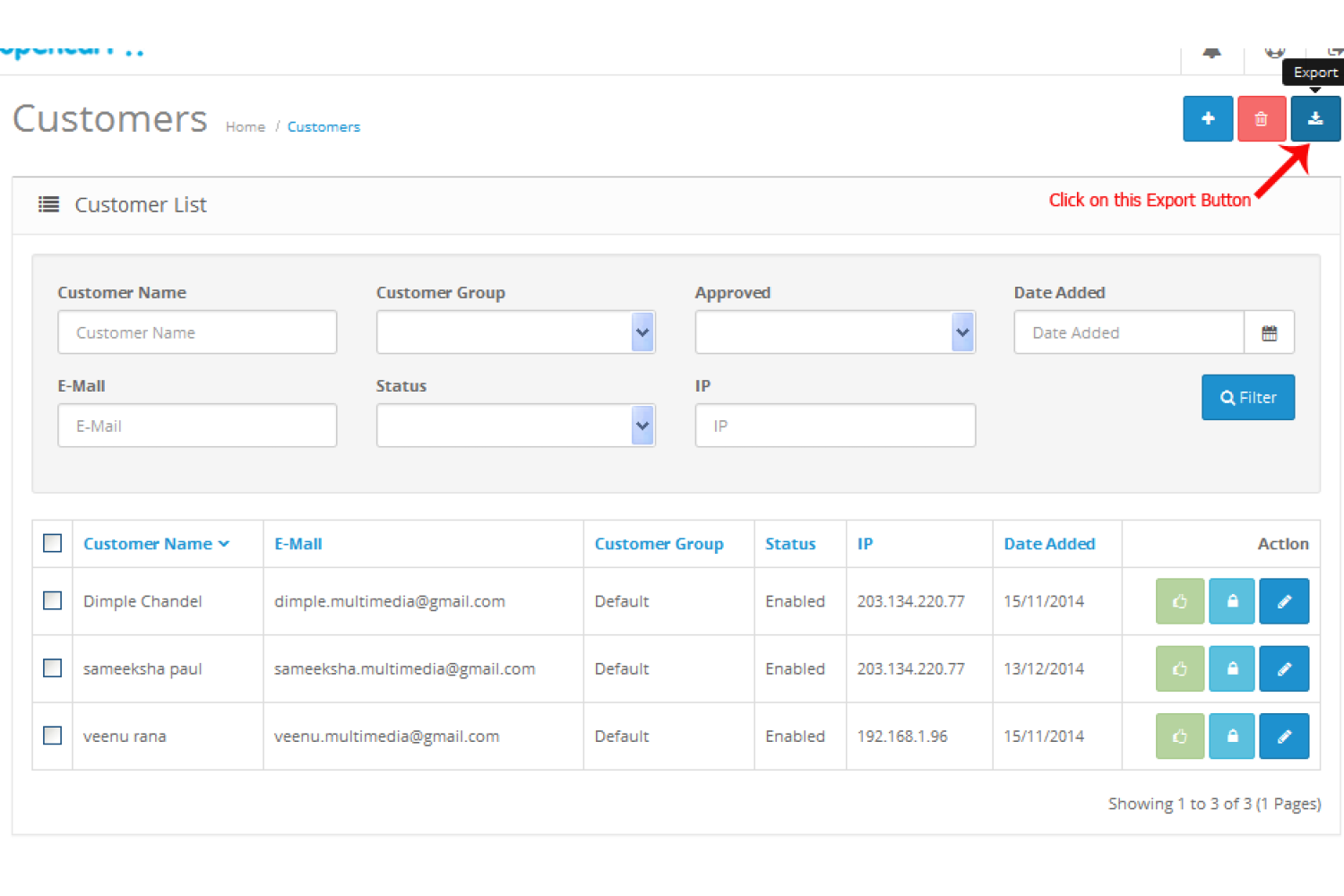
Use Filter To Export All Or Selected Customers Data
Advanced filtering options, allow you to export precise customer data based on specific criteria, saving time and enhancing data accuracy. The ability to customize exports and reduce server load ensures smoother performance and faster access to essential information.
This module offers a wide range of search filter options, allowing you to export individual customer data or a range of customer information. You can filter by customer name, customer group, account creation date range, newsletter subscription status, account status (enabled/disabled), reward points earned, and more.
Another feature is the store selection option, which allows you to export customer data from specific stores. If your customers have extra fields attached to their accounts, this module will also export that data. You can even reduce server load by specifying the number of customer records you want in the export file.
The module lets you find information data to suit your needs—select the fields you require and hit the export button. It will generate an Excel file with the selected fields and automatically download it to your device.
Additional Fields Are Supported
Our OpenCart extension is smart enough to understand and retrieve the additional fields you added to the customer account form. On the Export setting, all the fields will be added to the additional field. The admin can select the extra field you want to include in the export file and other information.
It will help you get all the necessary information about your customer for better analysis and marketing tactics.
Complete Feature list
Here is the list of fields with the exported customer's data file.
- First Name
- Last Name
- E-Mail
- Customer Group
- Telephone
- Address 1
- Address 2
- Fax
- Additional Fields
- City
- Zone
- Country
- Status
- Store
- IP
- Approved
- Date Added
Compatible With The Latest Version
It is working with the OpenCart version 2x, 3x and 4x versions. Also working with the latest version. Ensuring it works flawlessly with your website's existing infrastructure without any hassle.
Easy To Install
This extension uses the OCMOD for the installation and work. Thus your website files remain untouched, while and after the module's installation. Download the module zip file, and either upload the zip file into the admin's extension installer setting or install the module from there.
You can also extract the module zip file and manually upload the files on the server by following the folder structure. Go to the Extension list page, select the module, and activate the TMD Customer Export module by pressing the green [+] button.
There is no configuration setting present making it plug-and-play. The admin can export the customer data instantly.
Support
Any questions or suggestions are most welcome. If you have any questions or suggestions, want to do any customization work on your website, are looking to develop a new module, or want help related to this module. Please raise the ticket. Our support team will help you as soon as possible.