License details
Commercial
Warehouse Stock And Order Management
- $72.00 $68.40
Demo Videos
See the extension in action before you buy — the live storefront, the admin panel and the complete video walkthrough.
Live Storefront Demo
Browse a real OpenCart store running this extension.
Admin Panel Demo
Explore the extension settings from the admin panel.
TMD is an Offical Partner of OpenCart
View Profile: TMD OpenCart Extensions India
Overview TMD OpenCart Warehouse Stock And Order Management Module
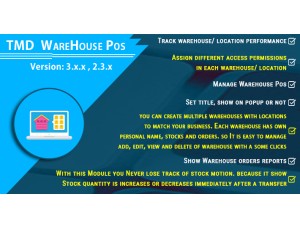
It is one of the main sections of any Warehouse POS module. This will enable warehouse admin to manage the order effectively by users of assigned stores. Warehouse admin can assign as many products to various stores with stock easily. Customer made orders in the warehouse store will display here.
There is also a separate page where the admin can update the product quantity already assigned to Store. Also, the admin can check all the store product stocks present right now.
Another feature is to create users and assign one store. It makes the user a store owner, User can login to that user and check product, stock, order about that store. The store has all the products listed that were requested by the customer.
Create User And Assign The Warehouse Store
OpenCart warehouse stock and order management extension give admin authority to assign the particular store to one user. Either the admin can create a new user or can add an existing user to the warehouse store.
That assigned user will have a new portal for managing the store. Users can easily login to the store and access the dashboard, orders, requested products, and stocks. Users will act as the owner of the store that can view the list of orders that came into their store.
The assigned store located at the frontend of the store where they can easily access it.
- The store can only be assigned by the admin. The user can not assign the store by itself.
- Accessing from the front end of the website using email/username and password.
- Add here single or multiple warehouse locations as per requirement.
- Allow creating warehouse users. They have their own dashboard on the front side of the store.
- Admin has Quick Stock feature that helps to manage Stock easily.
What You Can Do With This Module
Users can access the orders list placed by customers in the warehouse. Stores created by the admin for the warehouse are assigned to the warehouse. List of orders are present and store owner users can view the individual order information. There is a filter present in the date range. They can use the filter start and end date in which order is placed.
The Stock In option lets the store owner manage the product stocks. And filter the products on the basis of Product UPC. Product display with name, UPC, option UPC, and Qty, and a delete button. Their product stock can be increase and decrease or delete the product from the store.
There a request product page, where the store owner can see the list of products requested by customers. Store owner can have requested product name, customer message, the status of the request, date of request.
The dashboard has the menu links of the pages which is present for easy accessibility for the store owner.
- Warehouse user has own separate dashboard there he can set separately options Like
- Stocks
- Can see Product requests
- How many Stock is In
- Orders Counting
- Total Count of orders.
Note: Before the check, the product needs to check the location of stocks by using Pincode, here the Pincode option is optional admin wants to show their product by using pin code or not. Admin can set this option as per his need.
Support
Got pre-sale questions or have questions about support. Please create a ticket. We will help you to get it working.
Compatiabilty
| Supported OC Versions | 3.0.3.8 , 3.0.3.7 , 3.0.3.6 , 3.0.3.2 , 3.0.3.1 , 3.0.3.0 , 3.0.2.0 , 3.0.1.2 , 3.0.1.1 , 3.0.0.0 , 3.0.3.9 , 3.0.4.0 2.3.0.2 , 2.3.0.1 , 2.3.0.0 4.0.2.3 , 4.0.2.2 , 4.0.2.1 , 4.0.2.0 , 4.0.1.1 , 4.0.1.0 4.1.0.0 , 4.1.0.1 , 4.1.0.2 , 4.1.0.3 |
| VQMOD Required | No |
| MultiStore Support | No |
| Support | yes |
| Update | yes |
Related Products
-300x228.png "OpenCart Point Of Sale")