Product Images & Media
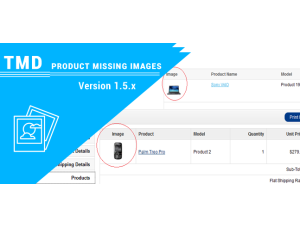
PRODUCT IMAGES IN ALL MISSING PLACE 1.5.X
Support Introduction..
1.5.x
$20.00
$19.00


NO -DATA
See the extension in action before you buy — the live storefront, the admin panel and the complete video walkthrough.
Browse a real OpenCart store running this extension.
Explore the extension settings from the admin panel.
View Profile: TMD OpenCart Extensions India
Facebook is one of the global social media platforms with over 2 billion users worldwide and counting.
So Facebook is also used as one of the standard login applications for signing up on various websites but here we look at the Facebook chat messenger login extension which is applicable for OpenCart Store owners.
So with the help of this module, any OpenCart store owner can easily integrate Facebook Messenger into their Opencart store. This will enable customers to directly have a one-to-one chat conversion with the store owner and enhance the customer experience in-store.
Admin can configure the extension to make it work on each store of the website. If your Website has more than one store present, then a separate tab's names with the store will be shown and the admin must do a setting in each store tab to make it work.
Every store will have a separate Facebook chat messenger display on the store. Admin must find the right page id from the Facebook page set.
Giving the right page id in the setting ensures chat messanger shows up on the store front-end where customers can send messages to the page directly from your website.
There are some other settings like deciding whether to show or hide chat messenger on mobile. Admin can change the color of the Facebook chat messenger icon matching with the website color theme. By changing the status of the module, chat messenger hide from all the stores.

TMD cares about their customer and client. That's why we create all modules and themes multi-language compatible. Your website uses non-English language.
All the currently installed languages will be shown in the module setting. Where admin can write the Facebook login and logout text in all languages. The module shows facebook chat module login or logout text in the selected language by the customer.
If your websites have multi-language and people use them. It works seamlessly with multi-languages.
this module allows you to put your Facebook live chatbox on your website and visitors can chat with you with the Facebook Message module for OpenCart.
In this way, it is easy to get a live conversion with your customers and increase sales.
This module is a fully customized module and you can Manage all Setting From the admin panel as per your need. This also works for multiple chats at the same time.

Got pre-sale questions or have questions about support? Please create a ticket. We will help you to get it working.
| Supported OC Versions | 2.1.0.2 , 2.1.0.1 , 2.0.3.1 , 2.0.2.0 , 2.0.1.1 , 2.0.1.0 2.2.0.0 2.3.0.2 , 2.3.0.1 , 2.3.0.0 3.0.3.8 , 3.0.3.7 , 3.0.3.6 , 3.0.3.2 , 3.0.3.1 , 3.0.3.0 , 3.0.2.0 , 3.0.1.2 , 3.0.1.1 , 3.0.0.0 4.0.2.2 , 4.0.2.1 , 4.0.2.0 , 4.0.1.1 , 4.0.1.0 , 4.0.2.3 |
| VQMOD Required | No |
| MultiStore Support | No |
| Support | yes |
| Update | yes |
Product Images & Media
Support Introduction..
1.5.x
Product Page & Merchandising
.tab-description-new..


Customers, Accounts & Customer Groups
TMD is an Offical Pa..
Cart, Checkout & Order Management
.tab-description-new..
2.x.x,3.x.x
Security & Compliance
TMD is an Offical Pa..
Third-Party Connectors & Integrations
.tab-description-new..