




License details
Commercial
2.x Compatiabilty
40246
OpenCart Owl Slider OCMOD (2.x & 3.x ,4.x)
(2 reviews)
- $20.00 $19.00
Sold by an Official OpenCart Gold Partner
Free updates for 6 months, valid for one license only
Secure checkout, instant delivery
Facing an issue?
Raise a ticket
Demo Videos
See the extension in action before you buy — the live storefront, the admin panel and the complete video walkthrough.
Live Storefront Demo
Browse a real OpenCart store running this extension.
Admin Panel Demo
Explore the extension settings from the admin panel.
TMD is an Offical Partner of OpenCart
View Profile: TMD OpenCart Extensions India
Overview of TMD OpenCart OWL Slider
The slider module is a dynamic and responsive carousel module designed to elevate the visual appeal of your e-commerce store. This visual engagement tool allows the store owner to showcase featured products, promotions, and banners in an engaging, modern format that captures visitors' attention from the moment they land on your site.
Its mobile-friendly designs ensure sliders look as stunning on smartphones and tablets as on desktops. These functionality make this OpenCart owl slider module.
This slider extension is compatible with the latest version of OpenCart and works with most themes.

Responsive Design and Mobile-Friendly Slider
The owl slider remains responsive on all kinds such as desktop, laptop, tablet, and mobile devices to ensure a consistent and high-quality user experience. The OpenCart owl slider automatically resizes and repositions according to its content based on device screen dimensions.
The interaction navigation buttons and click event on sliding images to go to the linked page are designed to be easily tapped.
Use Layout Setting To Add Owl Slider on Any Page of OpenCart Website
This OpenCart slider extension integrates with the layout settings of OpenCart to provide flexible positioning and page selection for the slider. Consequently, you can display the slider on nearly all pages of the website.
To add the slider to the homepage, navigate to the Design menu > Layout Settings > Edit the homepage. You can choose the top, bottom, right, or left position, and determine whether the slider should appear at the top of the page after the menu, or below the content.
This customisation setting allows you to select the best position for the slider, offering your customer an optimal user experience with an interactive carousel slider.

Select The Images For Slider
It follows the standard of OpenCart. The admin must upload the slider image in the banner section. The slider module automatically detects the list of banners available in the banner setting for the slider images. You can select the banner for the owl slider. It will start displaying on the assigned page.
When creating or modifying the banners, the number of images will be the same as the admin-uploaded images.
Whenever a new image is added or an existing image is removed from the banner, the changes will be reflected on the attached owl slider.

Configuration of Olw Slider
The admin can control all the functionalities like slide transition effect, speed, the time interval between slides, enabling or disabling lazy load, slider height and width, enabling responsive height, to show or hide navigation.
All these settings will help the customize slider according to requirements and match with your brand voice. You can highlight key promotions and products more effectively. The result is a visually appealing, user-friendly experience
The navigation button will adopt the theme's button style and color, so the slider will become part of your theme
- ✔ Stop On Hover
- ✔ Navigation button
- ✔ Pagination Enable
- ✔ Auto Height
- ✔ Lazy Load
- ✔ Transition Style
- ✔ Auto Play
- ✔ Pagination Speed
- ✔ Slide Speed
- ✔ Items Custom

Compatible with Various OpenCart Versions
This responsive owl slider extension utilizes OCMOD, ensuring seamless integration with older versions of OpenCart, from 2.x to higher versions, including 3.x and 4.x. You can confidently use this extension on your website without concerns regarding OpenCart compatibility.
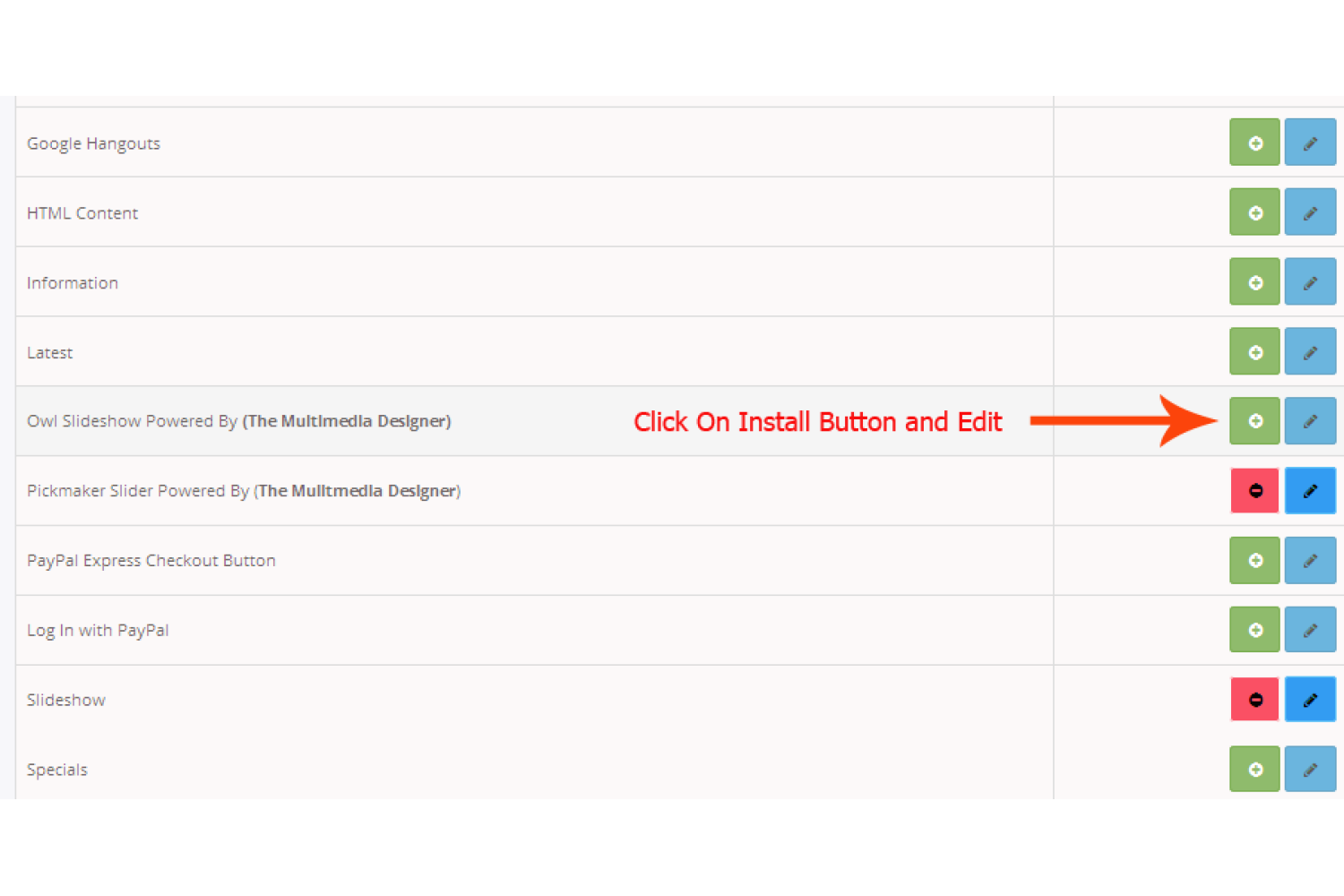
Comprehensive online documentation is provided for installation and setup. Installation can be accomplished by following the official OpenCart methods, which include uploading the extension zip file through the installer or manually uploading the files via FTP, SFTP, cPanel, or other relevant software.
Support
If you want to develop the OpenCart module, customize your website, or get help with this owl slider extension please create the ticket. One of our team members will contact you as soon as possible.
Full Documentation
Compatiabilty
| Supported OC Versions | 2.1.0.2 , 2.1.0.1 , 2.0.3.1 , 2.0.2.0 , 2.0.1.1 , 2.0.1.0 , 2.0.0.0 2.2.0.0 2.3.0.2 , 2.3.0.1 , 2.3.0.0 3.0.3.8 , 3.0.3.7 , 3.0.3.6 , 3.0.3.2 , 3.0.3.1 , 3.0.3.0 , 3.0.2.0 , 3.0.1.2 , 3.0.1.1 , 3.0.0.0 4.0.2.1 , 4.0.2.0 , 4.0.1.1 , 4.0.1.0 , 4.0.2.2 , 4.0.2.3 |
| VQMOD Required | No |
| MultiStore Support | No |
| Support | Yes |
| Update | Yes |
Related Products

Modules
Previous/Next Product Navigation (ocmod) (2.x & 3.x , 4.x)
.tab-description-new..
(5)
2.x
$20.00
$19.00





Modules
Product Youtube Video (Multilanguage Support) 1.5.x
TMD is an Offical Pa..
(11)
1.5.x
$29.99
$28.49

Modules / Extensions
Piecemaker Slider slideshow (slider)
TMD is an Offical Pa..
1.5.x
$29.99
$28.49

Bestseller

Free Module
Custom opencart header menu free ocmod (2.x.x , 3.x.x & 4.x)
TMD is an Offical Pa..
(10)
2.x
Free


Modules / Extensions
RoundAbout (Carousel) (1.5.x , 2.x & 3.x)
TMD is an Offical Pa..
2.x
$20.00
$19.00
