
Design, Layout & Sliders
Piecemaker Slider slideshow (slider)
TMD is an Offical Pa..
1.5.x
$29.99
$28.49

yes
See the extension in action before you buy — the live storefront, the admin panel and the complete video walkthrough.
Browse a real OpenCart store running this extension.
Explore the extension settings from the admin panel.
View Profile: TMD OpenCart Extensions India
It increases sales and customer satisfaction. With this module, the admin can increase your online sales. Because everyone LOVES discounts on products. It increases your sales with special promotions. And also increase customer loyalty.
Admin can set big image, title, description, set end time, and select individual products or latest product or category. This module is also multi-language compatible.
This extension lets the admin add daily deals on their website. Admin can show discounted products on a new section called daily deals. This module lets you enter the title and description. According to the theme, the admin can set the size height, and width of the image that acts as the background image of the daily deal section.
This extension is compatible with multi-language. Admin can let show or hide the basic information of customer and vendor to each other.
In the general setting of the OpenCart daily deal, the extension gives a lot of options for admin. Admin can set the title of the selection of the daily deal. This helps websites to grab the focus of customers by writing attractive titles.
There is three option Category, the Latest product module, and individual products, to show products in the daily deal section. Selecting the Category option, let you choose the name of categories whose product will be shown in the daily deal section.
Also, the admin can select the individual products. Just select the latest product module which will automatically show all the attached products in the daily deal section.
To match with the overall theme, the module has the option to set the product image height and width.
Admin can restrict the product count by entering the counting in the limit option. Whenever the module tries to show the daily deal product, it will take the limit counting from setting and limit the display product counting till limit and the rest of the product won't display on the deal section.
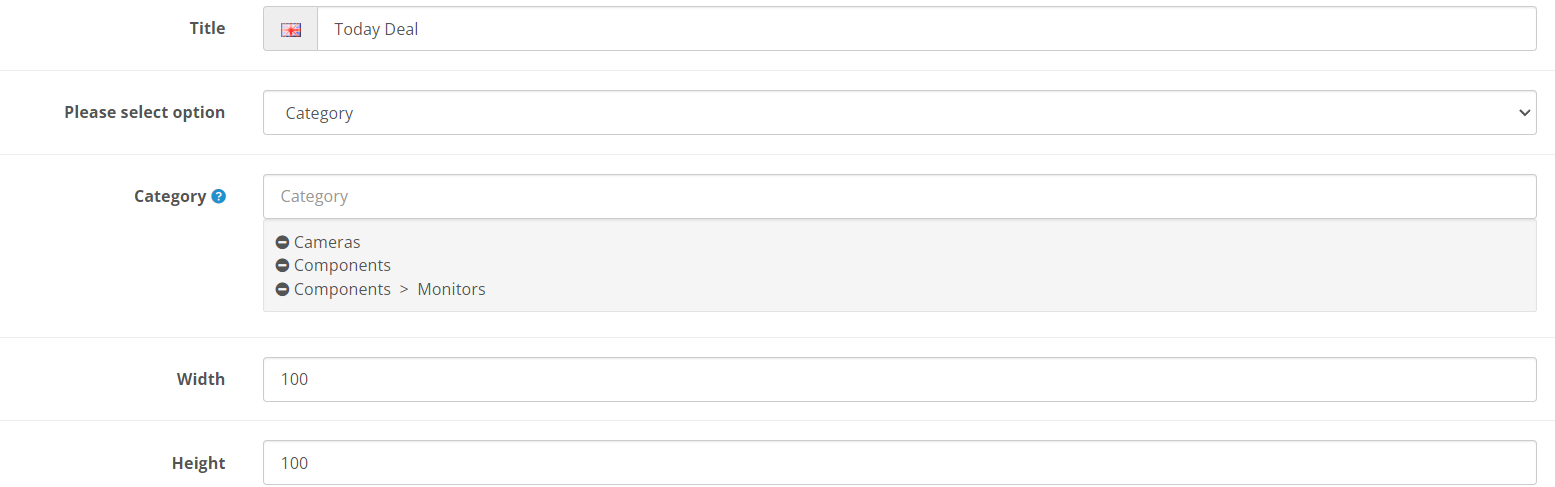
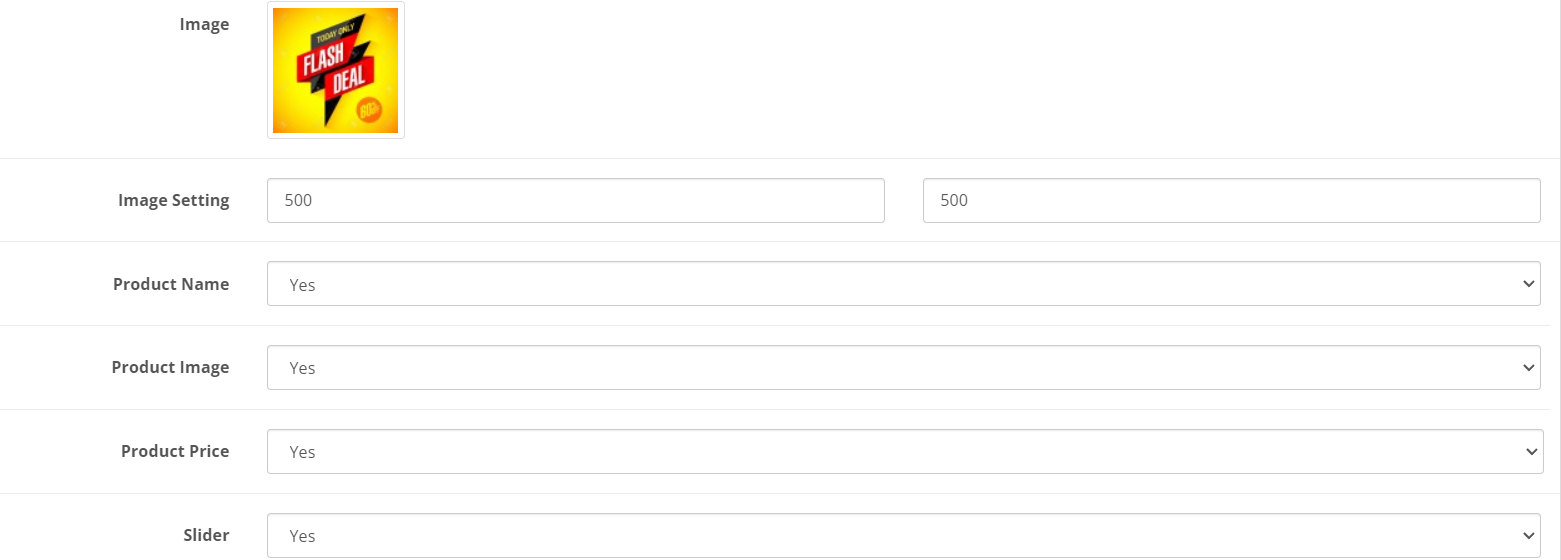
It can set the promo background image present on the left side of the daily section. Admin can resize this image by entering the height and width. The module will take height and width from setting resize the image accordingly.
There is an option to hide and show product information like name, image, price. This setting lets the admin decide what to show and hide according to their business strategy.
According to the website layout and theme structure, the admin can choose whether the product should display in a horizontal slider or not. If selecting slider option no. Then the product will display in the gridview.
Moreover, We can show the additional information about deals on the left promotion section using a description. It has a WYSIWYG editor. Admin can show whatever they require to write in simple text, HTML, video, images, and other things.
This OpenCart daily deal module is fully compatible with multiple languages. This module shows languages tabs installed on the website in the setting. Admin can enter the section title and description according to each language section.
When a customer changes their language on the website. Daily deal title and description content also change according to the selected language. Thus, targeting international customers and SEO will be easy for the website.
TMD used OCMOD and VQMOD to create an OpenCart Customer vendor message extension. It works perfectly on 2.0.x and 3.0.x versions of OpenCart.It is also tested up to the latest stable version.
It is used on the cloud version to give the best performance. Testing has been done using the unit test to give quality of work.
There will be no core file will alter after installation of the introduction message to visitors in OpenCart into your website. It virtually creates a file system and adds compatibility to files on runtime.
Your website files will remain the same and untouched after the installation of TMD OpenCart modules. The website will remain to function as it does. It is easy to use right? Yeah!
Here are some questions that you might be interested
It lets the admin show the product with a discount deal of the day section of the website. Admin can select the products by typing their name to show them in daily deals. Just set the color theme, and the background image set the starting and ending times, and select products. You are good at showing the daily deal on your website.
Admin can select individual products or the latest product or category to show in the daily deals. To show on a specific page or position. Go to page layout, select the page, and select the daily deal module on the page's right, left top, and bottom sections.
If you have any kind of questions or looking for support. Please create a ticket.
| Supported OC Versions | 2.3.0.2 , 2.3.0.1 , 2.3.0.0 3.0.3.8 , 3.0.3.7 , 3.0.3.6 , 3.0.3.2 , 3.0.3.1 , 3.0.3.0 , 3.0.2.0 , 3.0.1.2 , 3.0.1.1 , 3.0.0.0 , 3.0.3.9 , 3.0.4.0 4.0.1.0 , 4.0.1.1 , 4.0.2.0 , 4.0.2.1 , 4.0.2.2 , 4.0.2.3 4.1.0.0 , 4.1.0.1 , 4.1.0.2 , 4.1.0.3 |
| VQMOD Required | No |
| MultiStore Support | No |
| Support | yes |
| Update | yes |
Design, Layout & Sliders
TMD is an Offical Pa..
1.5.x
Marketing & Promotions
.tab-description-new..
2.x
Marketing & Promotions
.tab-description-new..
Cart, Checkout & Order Management
.tab-description-new..
Pricing, Discounts & Currency
TMD is an Offical Pa..
2.x.x,3.x.x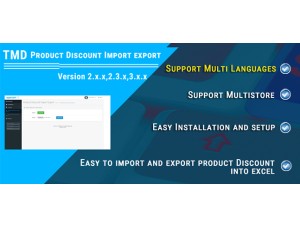
Import, Export & Migration
TMD Product Discount..
Cart, Checkout & Order Management
.tab-description-new..
Marketing & Promotions
.tab-description-new..
2.3.x, 3.x.x