TMD is an Official Partner of OpenCart
View Profile: TMD OpenCart Extensions India
Overview Of TMD OpenCart Admin Quick Menu Module
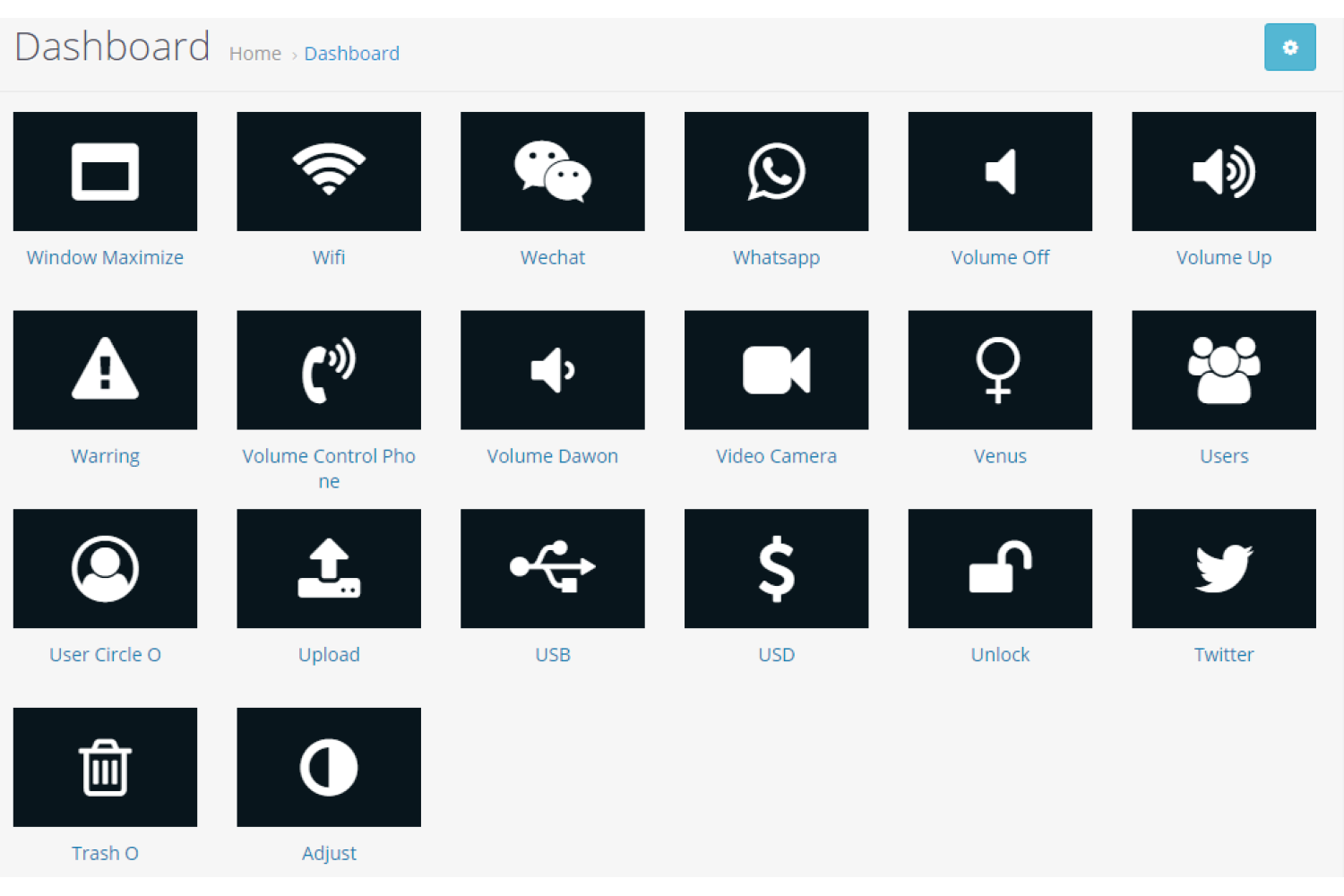
Set the frequently visited page menu on the admin dashboard. This extension will show the menus in the gridview style.
Admin can add and remove the menus and change the color theme from the setting. It will save the admin time, and navigation to the page will be easy.
You can add the menu link to any page of the admin panel for example products, category, manufacturer, coupons, orders, sale reports, backup, users, and another page in the menu. Also, change the color theme menus according to your website.
Admin can create an unlimited quick menu. OpenCart quick admin menu extension is compatible with OpenCart 2x and 3x versions respectively.

Adding And Removing Menus In Admin Dashboard
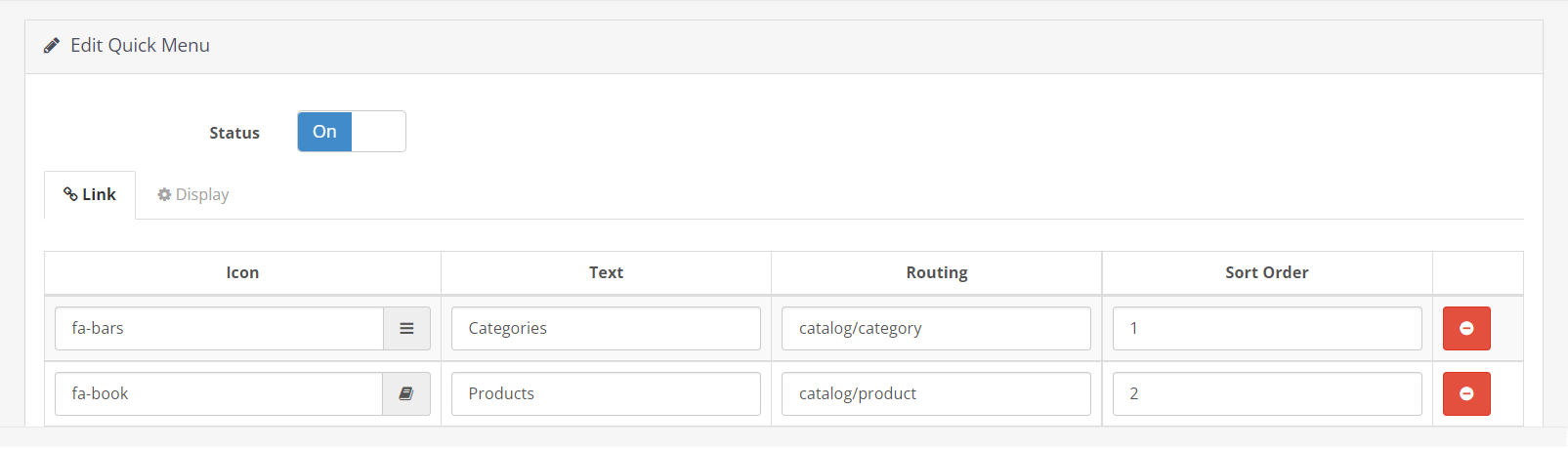
There is a setting available in the OpenCart admin quick menu module to create and remove the menus from the menu list. These menus will automatically display on the admin dashboard page.
Write the name of the menu, select the icon, enter the routing, and sort order. Font Awesome icon library is used. The routing value must be the valid url of the page that you want to navigate.
The sort order will be positioned in the menu list. Admin can create as many menus as they want. All the menus will be displayed in gridview.
If the admin wants to hide the quick menus from the dashboard, just change the status to disabled and vice versa.
Adjust Color Theme Of Menus
Admin can configure the color theme of the admin quick menu in the module. All the changes will reflect in real-time. You can see the updated font size, and color icons of the admin quick menu on the dashboard.
Admin can change font size, icon size, text color, menu background color, and icon color. It will apply to all the admin quick menus.
Choose how the menu link will open in the same tab or new tab. Admin can enter the number of the quick menus that should display and the remaining menus will be automatically hidden on the dashboard page.
- Font Size
- Icon Font Size
- Open a new tab
- Font Color
- Background Color
- Icon Color
- Limit
OpenCart 2x and 3x Version Supports
OpenCart admin quick menu extension is working on OpenCart 2.x and 3.x versions. This module is tested up to the latest version 3.0.3.3. A unit test is performed to make sure the module meets the features.
OCMOD is used in this module. That means no core file will change or replace after the installation of the extension on your website. Quick menus will be added to the dashboard on runtime using XML. The installation is easy. Just upload a zip file of the module using the admin's extension installer. Do modification refresh. You are done.
Support
Free installation is available after purchase. If you have any suggestions or pre-sale questions, looking for support. Please create a ticket. Our team will reach you as soon as possible.