Overview Of OpenCart Custom Header Menu Module 1.5.x
We created an extension that is Custom header menu it's fully dynamic it can customize from admin after applying this module you can add optional menu in your store these are useful for your store.
You can set its title and link from admin its sort order option helps you to arrange the menu properly. Its main feature for all of you is this it's free without pay any cost.You can take it all benefit. For the more useful module, you can see our website which presents lots of Modules. Themes and Payment gateway Module. with low price and more useful for your store.
Add Menus To Header Menu Section On Your Website
Default OpenCart does not give set the header menu according to its own requirement. Only Categories and subcategories display there with the counting of products.
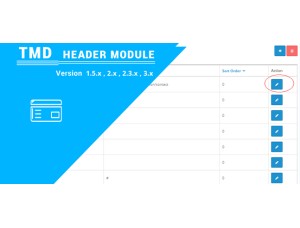
With this module, the admin can set/change the menus according to website requirements. From menu text to selecting parent and position where the menu will display on the list of menus. Admin can set the two-level of the menu hierarchy. The sub-menu will automatically come on the third hierarchy of the menus.
There is a setting called the column, In this admin can enter the column number. By Checking this column number module make sure the menu will display on that column. The sort option decides the position of a menu in the list of all sub-menus.
Header Menu Textx
Link
Level 1
Level 2
Column
Status
Sort Order
Note: It is the simplest OpenCart header menu extension compatible with the lower version. If you are looking for a newer version please go to OpenCart free header menu module 2x and 3x version
Working Greate WIth Multi-language
TMD cares about their customer and client. That's why we create all modules and themes with multi-language compatibility. Your website uses non-English language.
All the currently installed languages will be shown in the module menu to create the setting. This way admin can easily create menus according to the languages installed on the website.
If your websites have multi-language and people use them. It works seamlessly with multi-languages.
Support
Any question suggestion is most welcome. If you have any kind of question, suggestion, or looking for support. Please create a ticket.
1. copy all file as per root no core file replace present
2. replace oc_ to your prefix
3. install sql file in your server
4. vqmod must install
5. now go in admin you will find menu header where you can add extra menu in header with category
6. now check in front